
Batch Tags
When you’re running 60+ active batches, you need a way to keep track of what’s what. Batch Tags let you label every batch with a category that makes sense for how you work. Sport, card type, client name, show pickup — whatever system keeps your operation organized.
Create tags once, use them everywhere. Define your tags in Account Settings, then assign them when you create a new batch or update them later. Tags show up right in your active batches list so you can scan and sort without opening anything.
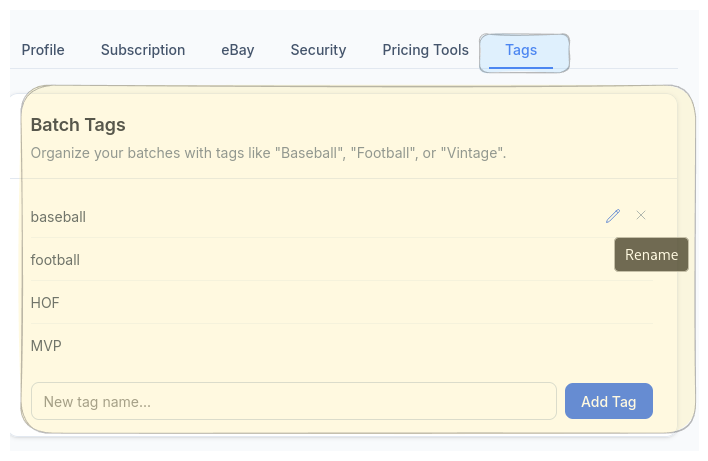
Define Your Tags in Account Settings
Set up your tags under Account → Tags. Name them whatever you want — “Baseball,” “Football,” “HOF,” “Vintage,” “Consignment.” Rename or remove them anytime.
No folders. No nested hierarchies. No overthinking it. Just a fast, flat label system that stays out of your way while keeping hundreds of batches from blurring together.
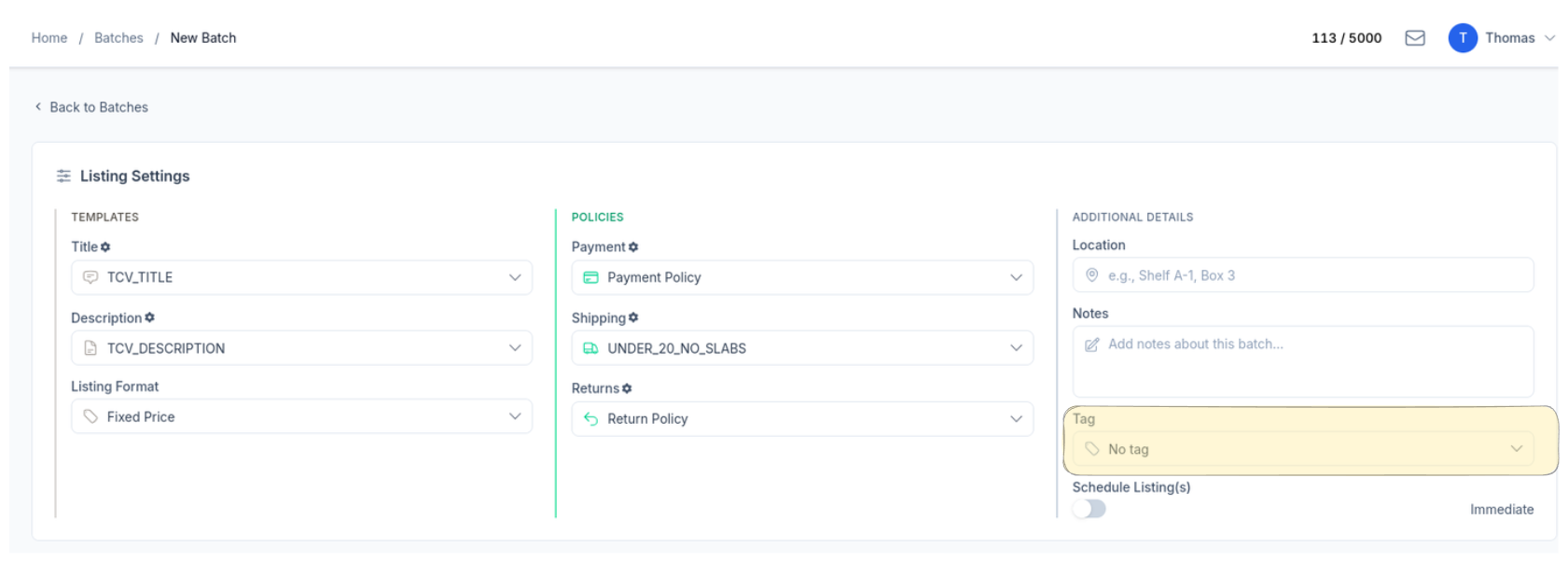
Tag Batches When You Create Them
When you start a new batch, pick a tag from the dropdown. It’s right there in your batch settings alongside templates, policies, and notes — one extra field that saves you from guessing later.
Already created a batch without a tag? No problem. Update it anytime from the batch settings.
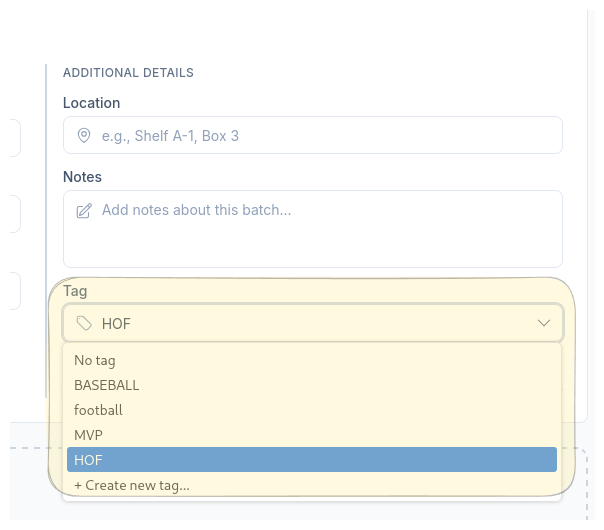
Pick from Your Tags or Create on the Fly
The tag dropdown shows every tag you’ve defined in Account Settings. Select one, or hit “Create new tag” to add a new label without leaving the batch screen.
Your tags stay consistent across all batches while giving you the flexibility to expand your system as your inventory grows.
See Every Tag at a Glance
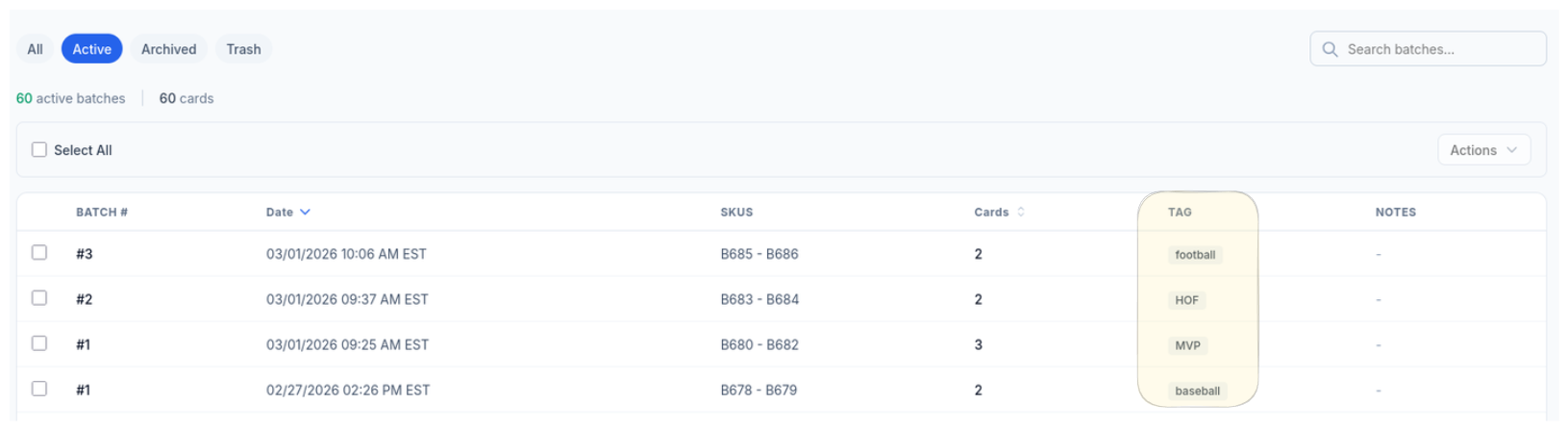
Every batch in your active list displays its tag so you always know what you’re looking at. Scan 60 batches and instantly tell your Football cards from your Vintage pickups.
No clicking into batches to figure out what’s inside. The tag column gives you the context you need right from the list view.
Your Labels, Your Way
Name tags whatever makes sense for your workflow. Sport, project, client, event — there are no rules.
Fast and Flat
No folders or nested hierarchies. A simple label system that keeps hundreds of batches organized without slowing you down.
Visible Everywhere
Tags display right in your active batches list. Scan, sort, and find what you need without opening a single batch.
Ready to List Smarter?
Start scanning and listing cards in minutes. No credit card required.
Sign Up for Your Free Trial