
Shipping Automation
Different cards need different shipping. A $5 raw card goes in a PWE. A $50 graded slab doesn’t. You already know this — the problem is remembering to switch the policy on every single listing. You won’t. Not consistently. Not at volume.
Rules That Match Your Logic
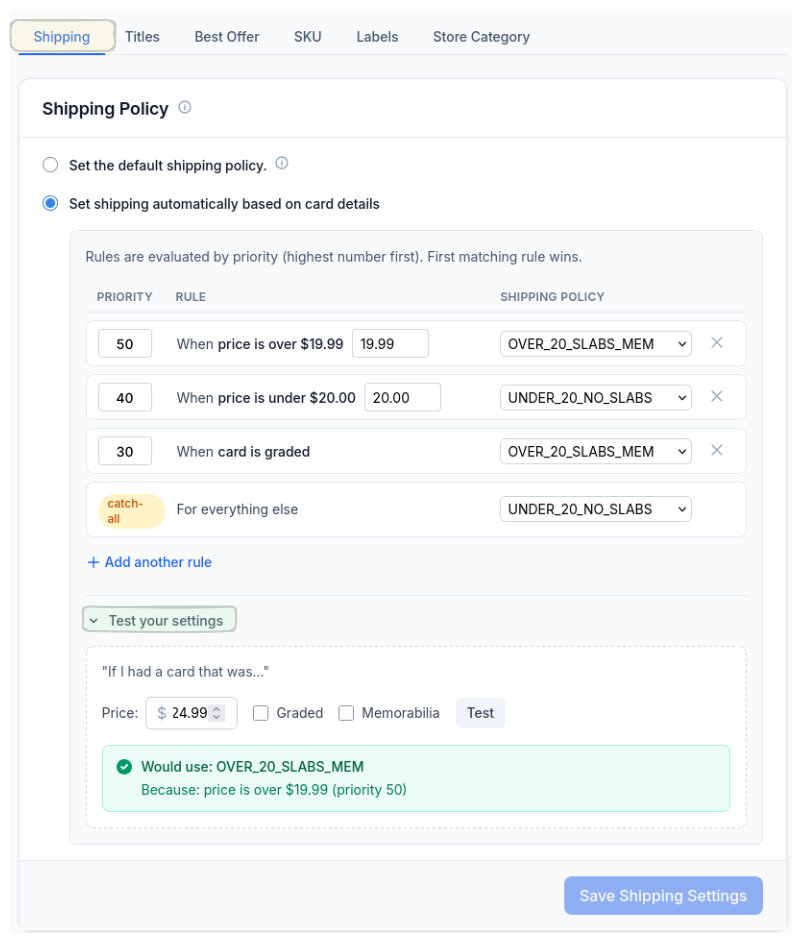
Set your rules — price over $20 gets one policy, under $20 gets another, graded cards always get the slab shipping profile. Priority-based, first match wins. There’s even a catch-all for anything that doesn’t hit a rule so nothing falls through the cracks.
You can test your logic right there in the settings before it touches a single card. Type in a price, check the graded box, and see exactly which policy would apply. No guessing.
Your eBay Policies, Already Synced
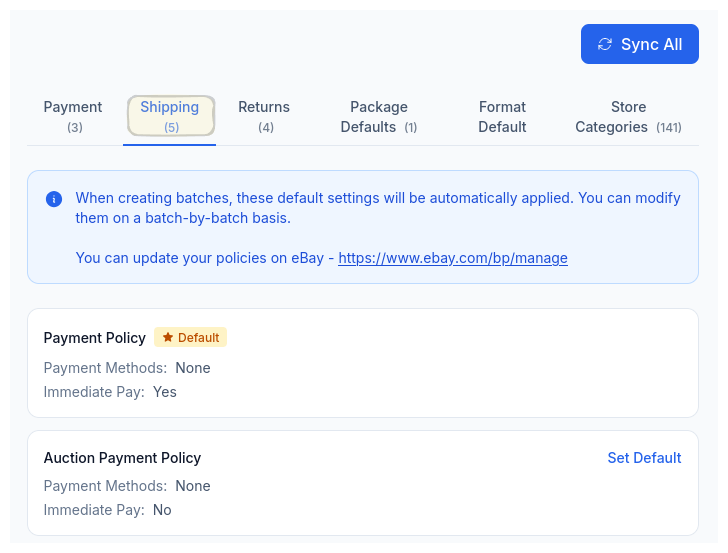
CardLuma pulls your shipping policies directly from eBay with one-click sync. Every profile you’ve set up over there is available here — no re-entering handling times, carrier options, or calculated shipping settings.
Pick your defaults, then let the automation rules assign the right one to each card based on your criteria.
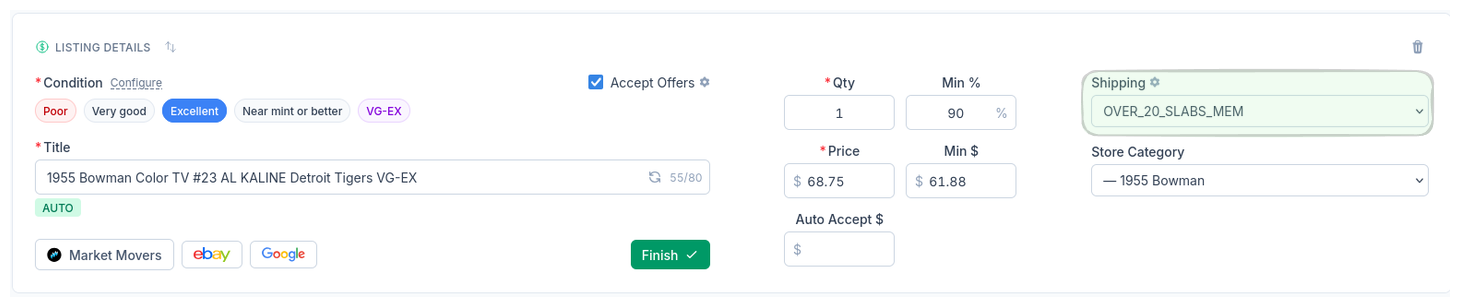
The right shipping policy gets assigned automatically on every card. No more accidentally shipping a $75 card with a PWE policy because you were flying through a batch and forgot to change the dropdown.
Priority-Based Rules
Price, card type, graded status — stack conditions and set priorities. First match wins.
Test Before You Ship
Built-in tester lets you verify which policy applies before a single card gets listed.
Catch-All Safety Net
A default fallback rule ensures nothing ships without a policy, even if no other rule matches.
Ready to List Smarter?
Start scanning and listing cards in minutes. No credit card required.
Sign Up for Your Free Trial