
Store Category Automation
A messy store costs you sales. When a buyer lands on your eBay shop and sees 2,000 cards dumped into a single category, they leave. They don’t dig. They don’t browse. They bounce.
Store Category Automation keeps your inventory sorted so buyers find what they’re looking for — and stick around long enough to buy more. Set your rules once, and every card gets filed into the right category automatically. You build the logic, then stop thinking about it.
Priority Rules That Do the Sorting
Your store categories exist for a reason — they turn a wall of inventory into a browsable shop. The problem is actually using them when you’re grinding through a stack of 400 cards.
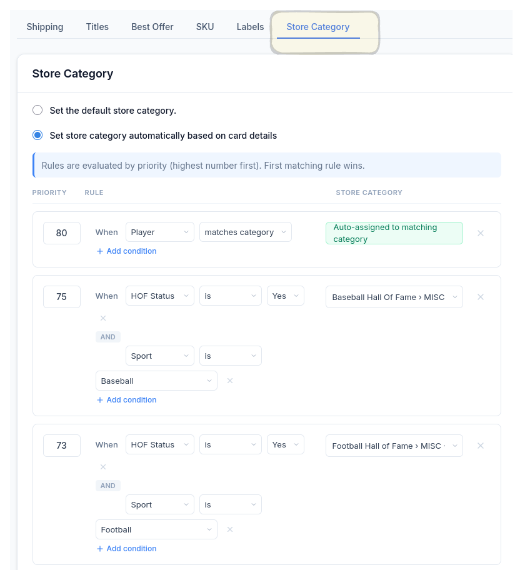
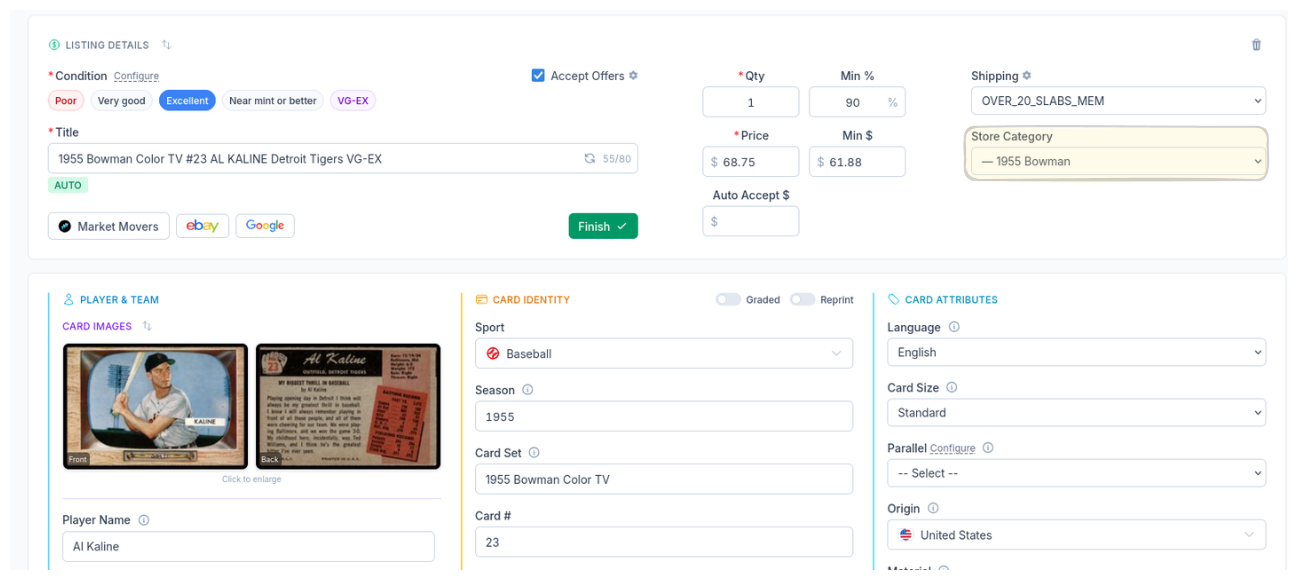
CardLuma applies your rules automatically. A 1955 Bowman goes into 1955 Bowman. A Baseball HOF card lands in Baseball Hall of Fame. You don’t manually pick categories at 1am on card 347. The system applies your rules consistently, every time, whether you’re sharp or half asleep.
Your store stays organized by default. Your buyers notice.
The Result: Every Card, Filed Correctly
When you open a card, the store category is already set. Your rules ran before you got there. No dropdown hunting, no second-guessing, no cards floating in “Uncategorized” where nobody will ever find them.
Organized stores get more page views per visit. More page views mean more add-to-carts. This isn’t cosmetic — it’s how you turn a single-card buyer into a multi-card buyer.
Pair this with Store Category Sync to pull your full eBay category tree into CardLuma, then let automation handle the rest.
Condition Stacking
Combine player, sport, HOF status, and more into a single rule. As specific or as broad as you need.
Priority-Ordered
Highest priority rule wins. Fine-tune the order so edge cases get handled exactly how you want.
Set It and Forget It
Build your rules once. Every card after that gets sorted automatically — your store stays clean whether you’re listing 10 cards or 1,000.
Ready to List Smarter?
Start scanning and listing cards in minutes. No credit card required.
Sign Up for Your Free Trial