
Additional Listing Photos
Front and back covers most cards. Higher-value cards need more. A buyer dropping real money on a vintage rookie or an autograph wants to see the corners, the edges, the surface, the signature — up close, before they bid. Now you can show them: up to 20 additional photos per listing, on top of the front and back scans.
Built From a Seller’s Request
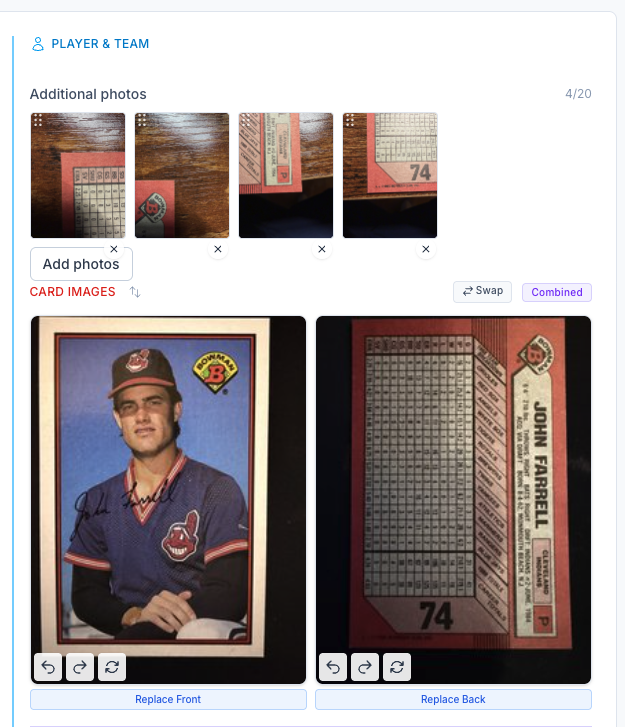
This one came straight from a CardLuma seller who wanted to add corner close-ups to his higher-end listings. Great idea — so we built it. Hit Add photos on the card edit screen and attach up to 20 extra images alongside the standard front and back. The counter keeps you honest at a glance: 4/20, 11/20, however many you’ve added.
Drag the thumbnails to set the order buyers see them in, and remove any shot with a single click. The extra photos publish to eBay with the listing — no separate upload, no juggling files outside the workflow.
Use them where detail sells the card: sharp corners, clean edges, surface gloss, a centered autograph, a low serial number. The closer a buyer can look, the fewer “what’s the condition?” messages you field — and the fewer surprises that turn into returns.
Complete listings, without the cleanup.
Turn scans into eBay-ready listings with the specifics buyers filter on, then reuse clean card data in Whatnot workflows.