
Ask a question. Get the answer, not a search.
Lumi answers CardLuma questions from the help guide — on the Ask Lumi page, the Documentation pages, and inside Discord. Ask how to do something, get the steps and a link to the right page.
The Ask Lumi Page
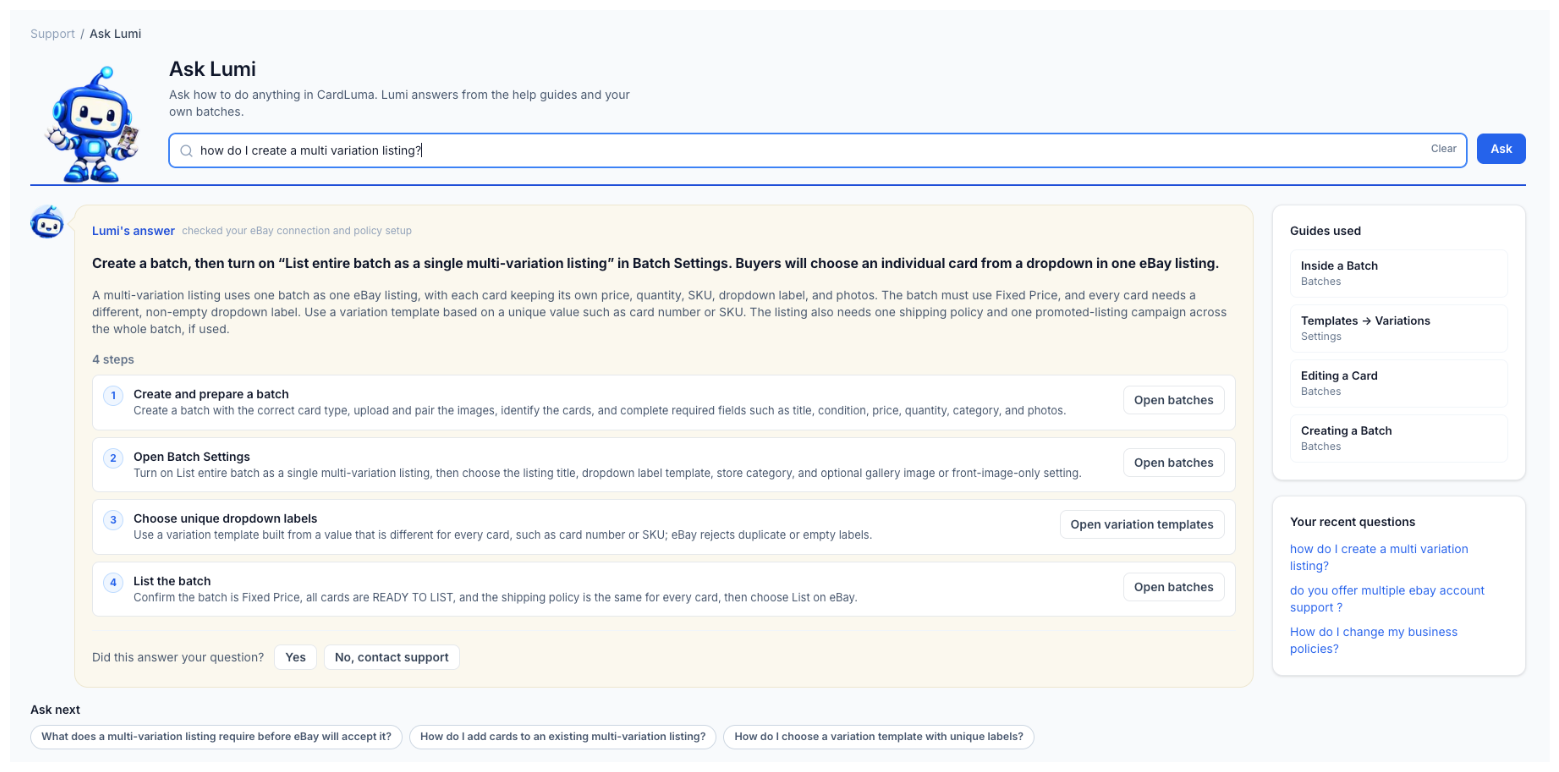
Ask how to do anything in CardLuma. Lumi answers from the help guides and your own batches, with each answer in a speech bubble: the short answer first, then the numbered steps.
Each step has a button that opens the exact page or Settings tab it’s talking about. Guides used shows which help pages the answer came from, Ask next suggests the follow-up question, and your recent questions stay one click away. Answer didn’t cover it? No, contact support.
Click image to view full size
Ask Lumi on the Documentation Pages
Ask a question on any Documentation page and Lumi answers from the help guide and from your own account — “why isn’t my shipping policy applying to this batch” gets an answer about your policies, not a generic one.
Because it reads your account, it’s off by default. Turn it on when you want it.
Lumi in Discord
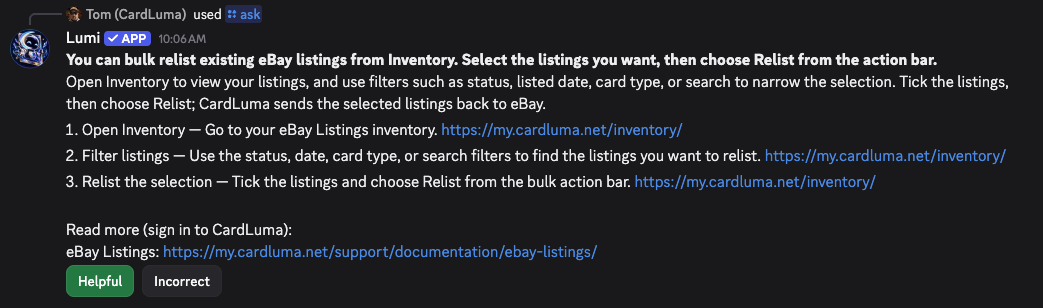
Get CardLuma help without leaving Discord. Use /ask or mention @Lumi for answers from the help guide and a link to the right page.
/docs, /whats-new, /support, and /feature-request take you straight to documentation, release notes, support, or the request form. Rate an answer Helpful or Incorrect and Lumi gets better at answering the next dealer.

Click image to view full size
Click image to view full size
Lumi Links Matching Feature Requests
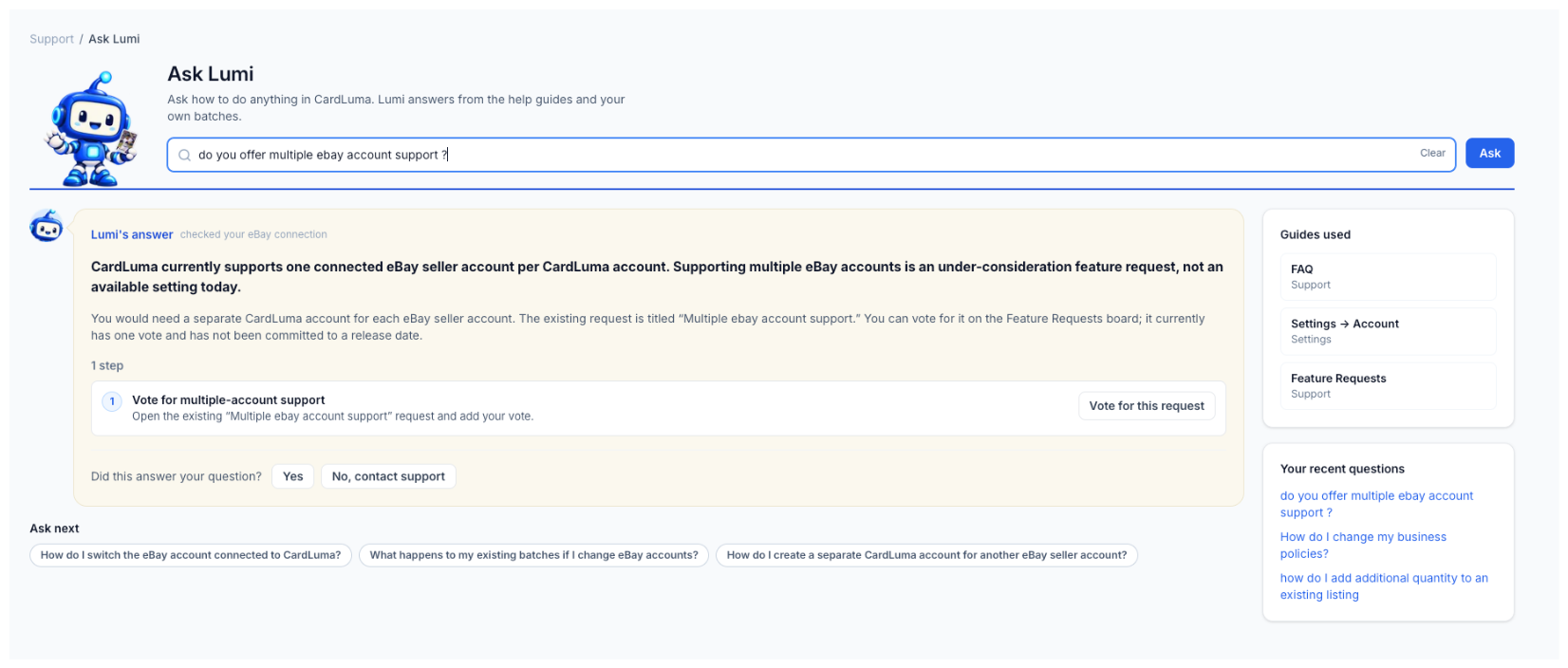
Ask for something CardLuma doesn’t do yet and Lumi says so plainly. When your question matches a request under consideration, Lumi links to it and asks for your vote, in the app and in Discord.
Ask about a feature request and get a plain explanation of what its status actually means — what Under consideration, In progress, and Shipped tell you about when you’ll see it.
Click image to view full size
Complete listings, without the cleanup.
Turn scans into eBay-ready listings with the specifics buyers filter on, then reuse clean card data in Whatnot workflows.