
Best Offer Automation
Set your Minimum Best Offer and Auto-Accept rules once and let CardLuma handle qualifying offers while you scan the next box. Run one rule across every listing, or different rules by price band — every card gets the right Best Offer settings automatically. No more manually toggling offers on each one.
Configure Once, Apply Everywhere
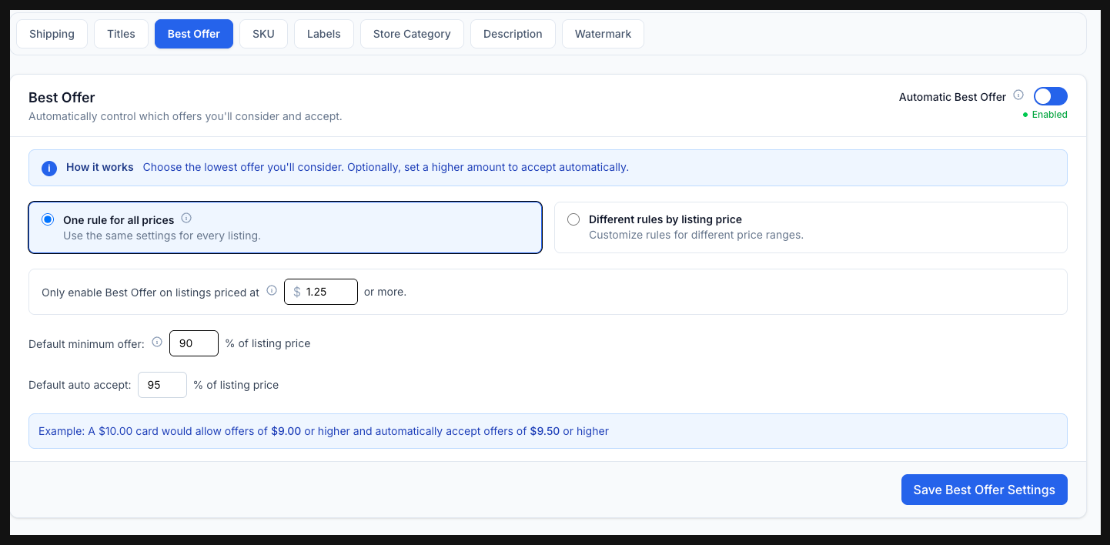
Set a price floor for when Best Offer should be enabled at all, then define two numbers: the lowest offer you’ll consider, and the amount you’ll accept automatically. Both are percentages of the listing price, and CardLuma does the math on every card.
A $10.00 card with a 90% minimum and a 95% auto-accept? Offers under $9.00 never reach you, and anything at $9.50 or better closes itself. A $1.25 card that doesn’t need offers at all? It stays off. You set the rules, CardLuma enforces them across your entire inventory.
Different Rules by Price Band
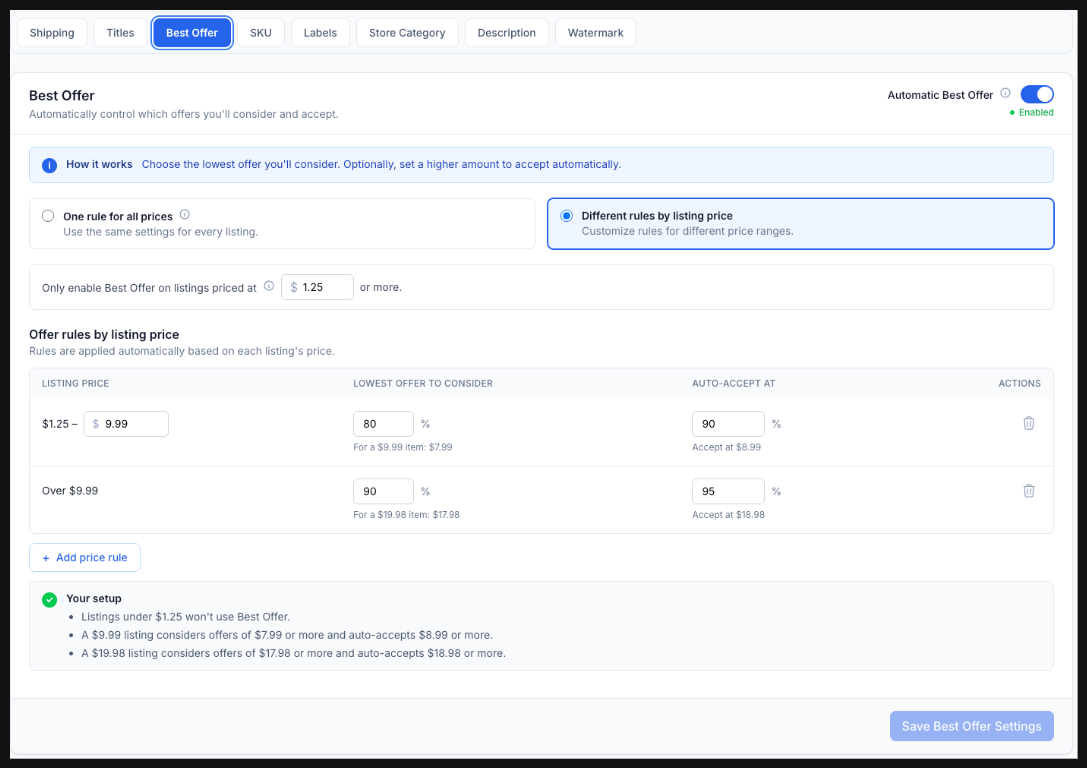
One rule for everything works right up until it doesn’t. A $2 common and a $200 rookie shouldn’t take the same haircut — 10% off a common is noise, 10% off the rookie is real money.
So set rules by listing price instead. Cards from $1.25 to $9.99 consider offers at 80% and auto-accept at 90%. Anything over $9.99 tightens up to 90% and 95%. Add as many price bands as your inventory needs, and CardLuma applies the right one to each listing based on its price.
Every Card, Already Dialed In
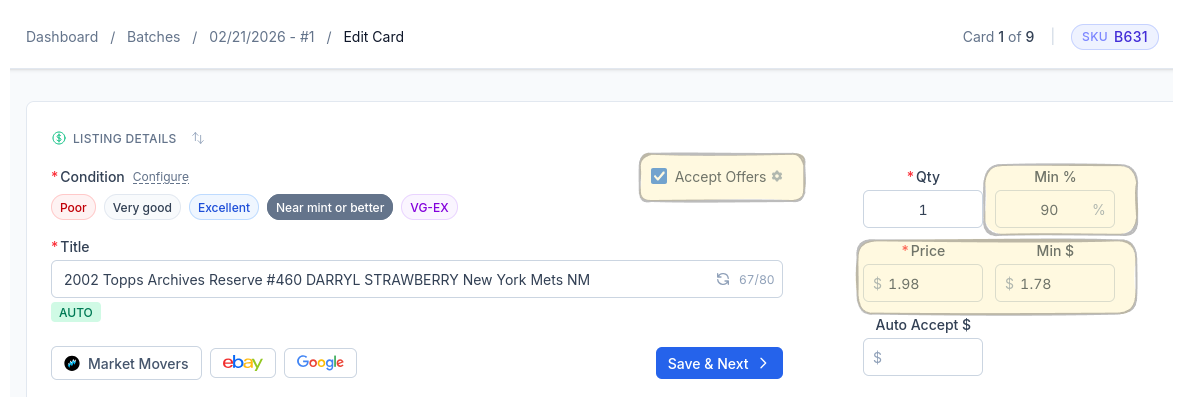
When you open the card edit screen, Best Offer is already configured. The Accept Offers checkbox, minimum percentage, calculated minimum dollar amount — all pre-filled from your rules.
Review it, tweak it if you want, or just hit Save & Next. The point is you never start from scratch. Your rules did the work before you got there.
Complete listings, without the cleanup.
Turn scans into eBay-ready listings with the specifics buyers filter on, then reuse clean card data in Whatnot workflows.