
Card Lots
Some cards don’t earn their own listing. Photograph the stack, and CardLuma builds the gallery image, fills the item specifics, and publishes one eBay listing in the right lot category. Sports, CCG/TCG, and non-sport. In Beta, on Pro and up, and in the trial.
Pick the Card Type, Then Lot
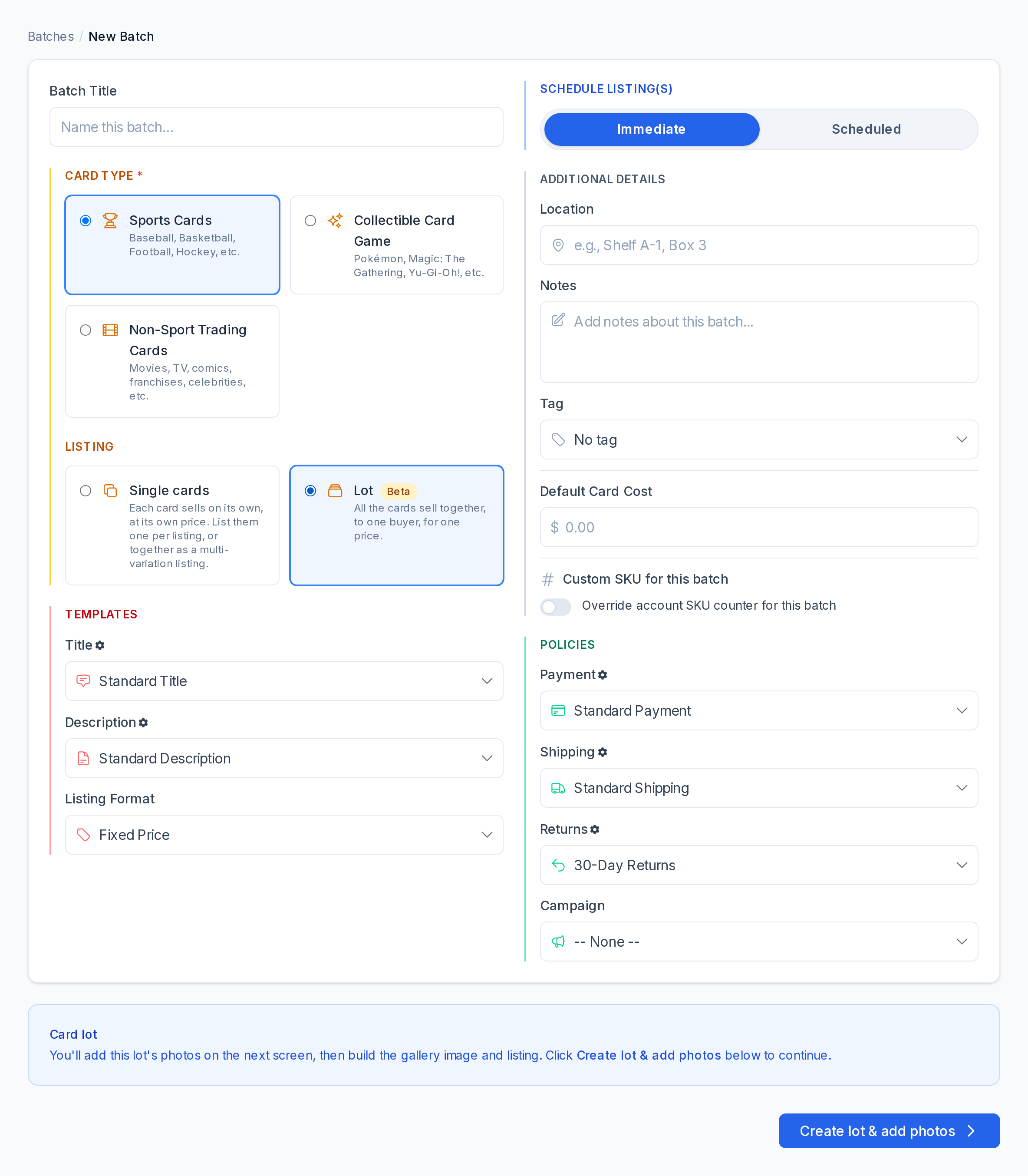
On New Batch, choose Sports Cards, Collectible Card Game, or Non-Sport Trading Cards as usual. Under Listing, pick Lot instead of Single cards: all the cards sell together, to one buyer, for one price.
Each type lists in its own eBay lot category: Sports Trading Card Lots, CCG Mixed Card Lots, or Non-Sport Trading Card Lots. You don’t have to look up a category number.
Click image to view full size
One Gallery Image From the Whole Stack
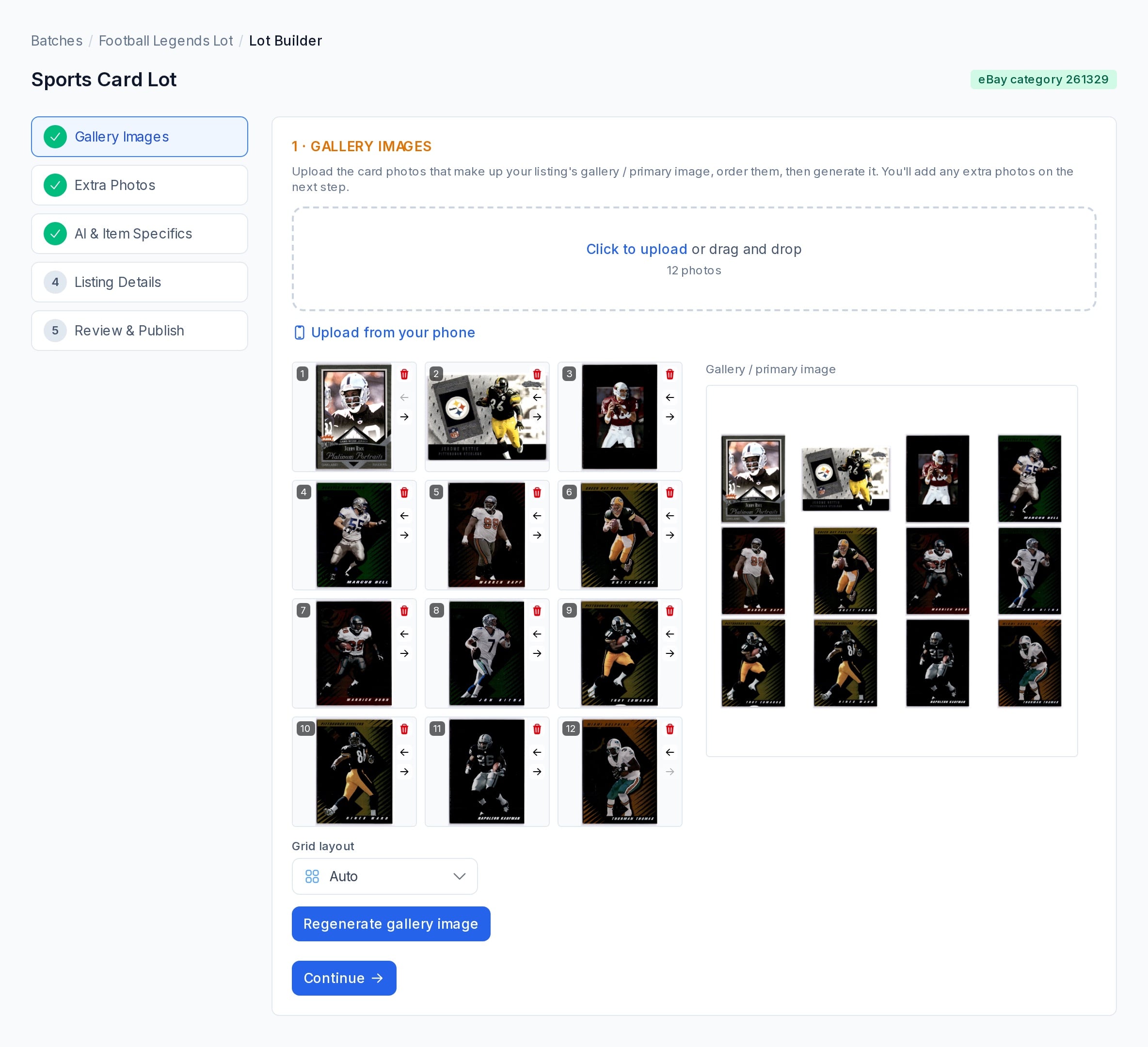
Drop in the card photos, put them in the order you want, and CardLuma combines them into one gallery image: the first picture a buyer sees. Upload from your phone shows a QR code, so each photo you take lands in the lot.
Backs, close-ups, and condition shots go in as extra photos on the next step.
Click image to view full size
Item Specifics Filled From Your Photos
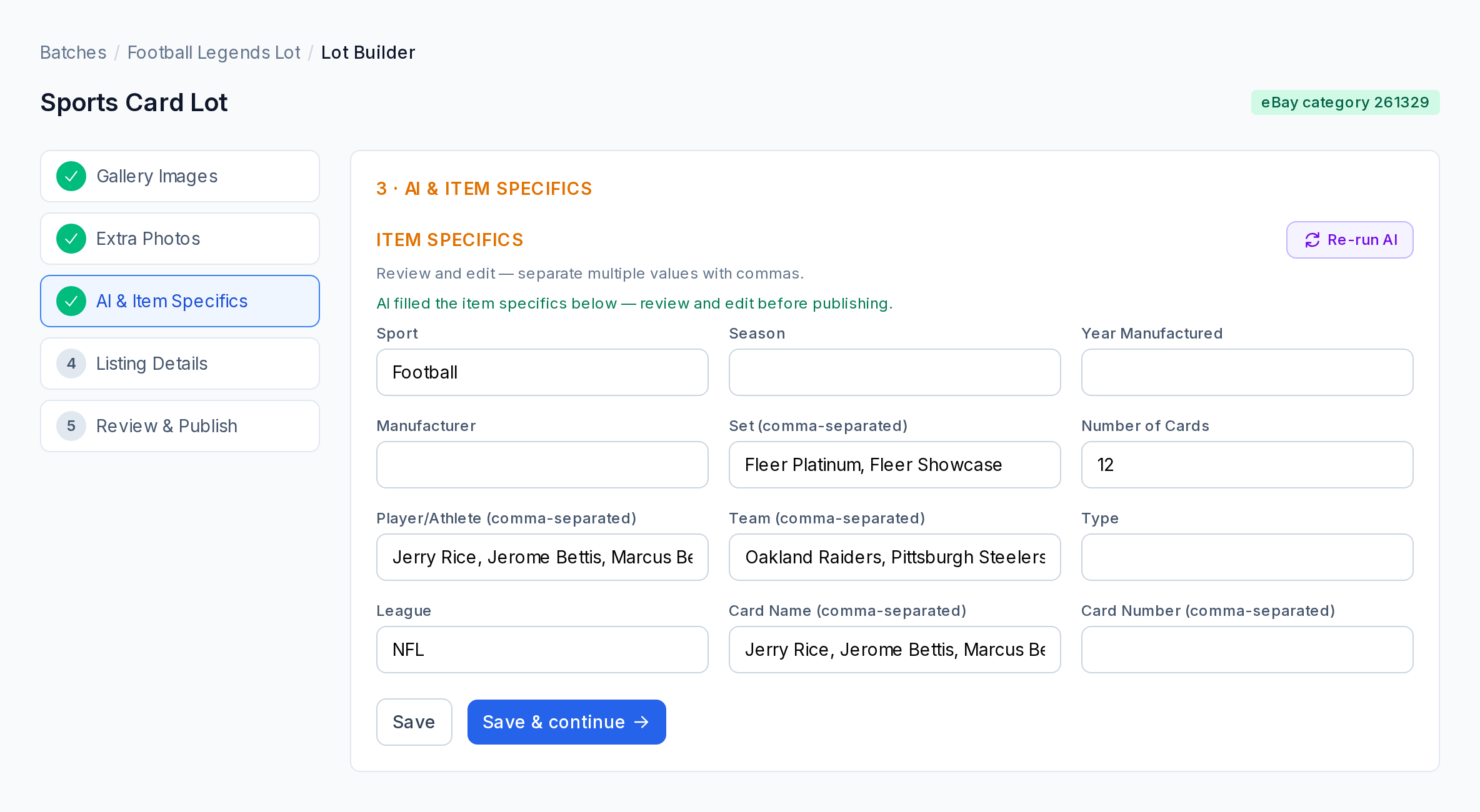
Generate AI reads the photos and fills the lot’s item specifics — sport, sets, players, teams, league, number of cards — and suggests a title. It costs one scan credit for the whole lot, not one per card.
Everything stays editable. Check it, fix what needs fixing, and save.
Click image to view full size
Price It, Take Offers, Pick the Start Time
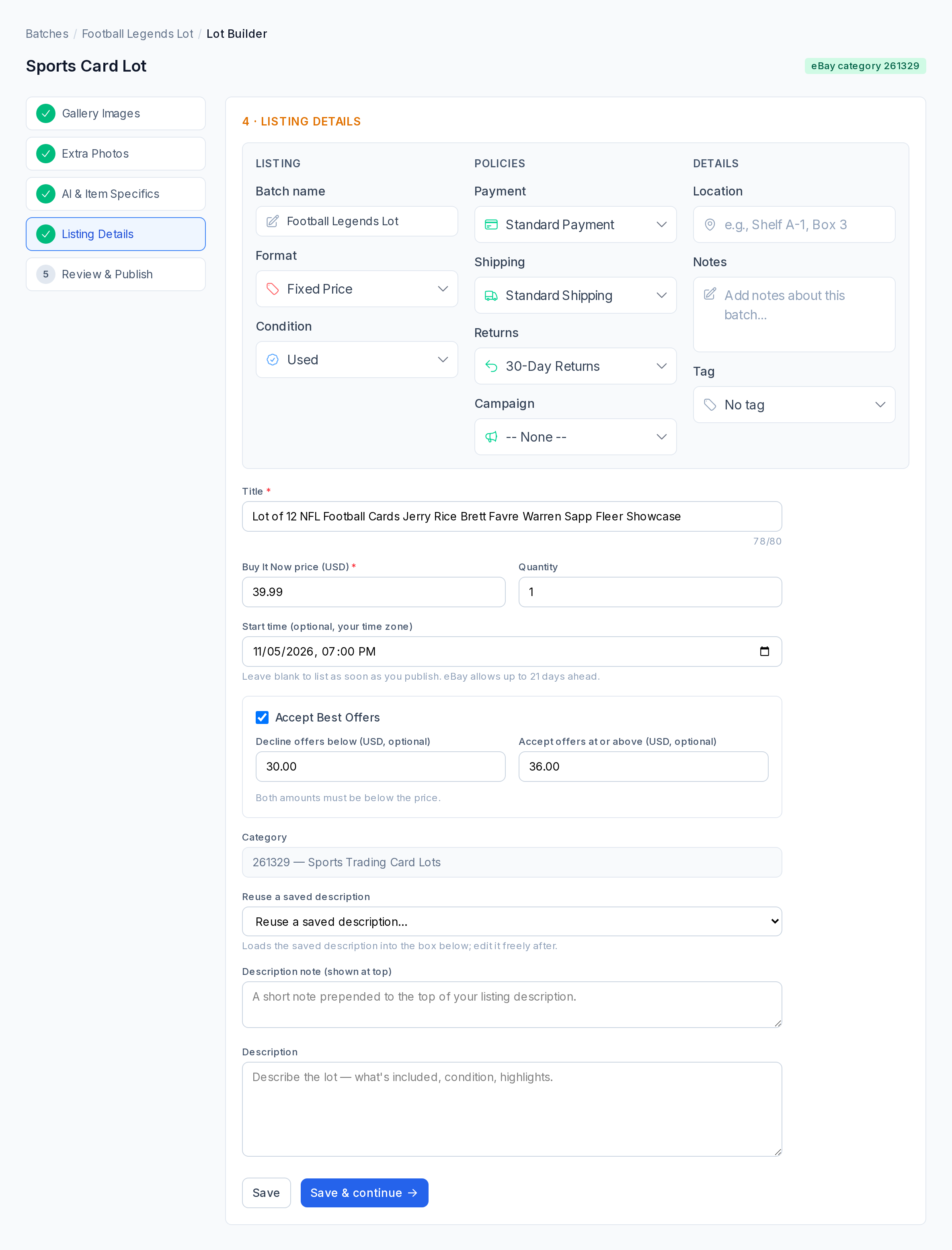
Set the title, price, condition, and policies. Tick Accept Best Offers and set the amounts to decline below and accept at. Pick a start time up to 21 days ahead, or leave it blank to list when you publish.
Automatic price drops never touch a lot, whatever your rules say. A lot’s price is yours to change.
Click image to view full size
Review It, Then Publish One Listing
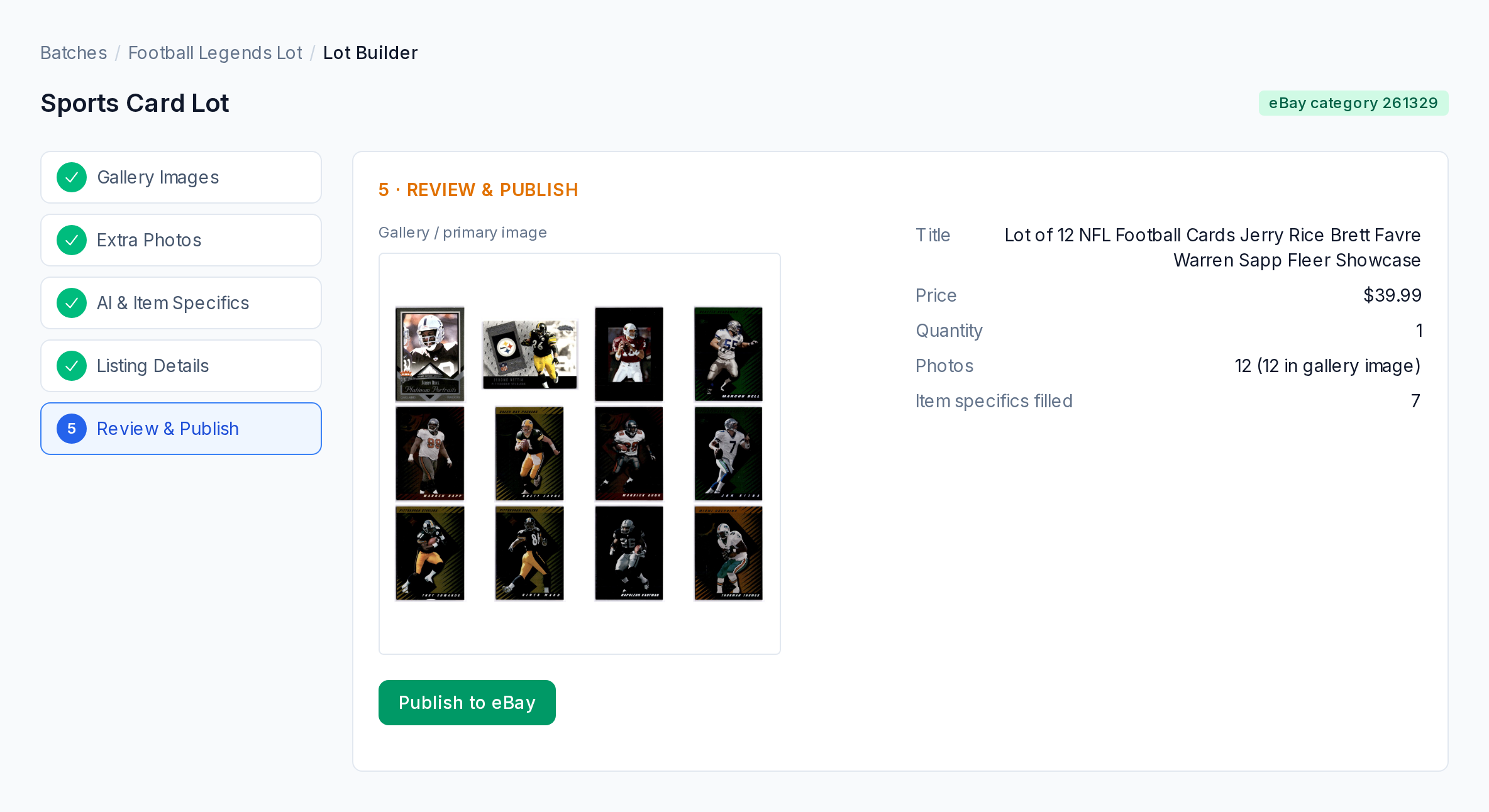
The last step shows the gallery image, title, price, photo count, and how many item specifics are filled. Publish to eBay sends it as one listing.
Once a lot is live you can still change its photos and its Best Offer amounts from CardLuma.
Click image to view full size
Which Plans Include Card Lots
Card Lots are on Pro, Elite, Ultra, and Premier, and in the trial. On Starter, Lot shows an upgrade option instead. If your plan drops below Pro, your lots stay live on eBay and keep selling; in CardLuma they become read-only until you upgrade.
Card Lots are in Beta. Tell us what would make them work better on the feature request board inside CardLuma.
Complete listings, without the cleanup.
Turn scans into eBay-ready listings with the specifics buyers filter on, then reuse clean card data in Whatnot workflows.