
Custom Card Conditions
eBay gives you four condition options. Anyone who’s graded cards for more than a week knows that’s not enough. A card that’s better than “Very Good” but not quite “Excellent” just gets shoved into whichever bucket you feel like that day. That’s inconsistent, and inconsistency leads to returns.
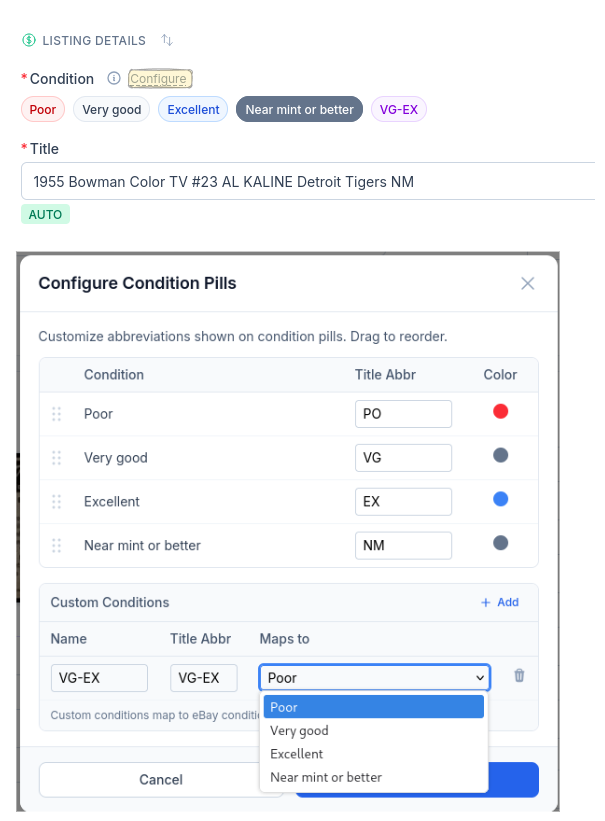
Your Grades, Mapped to eBay
Create conditions that match how you actually grade — VG-EX, EX-MT, whatever your system is. Each one maps to an eBay condition under the hood so the listing stays compliant, but your internal grading stays as precise as you need it.
The abbreviation goes straight into your title automatically, so buyers see exactly what they’re getting and you spend less time dealing with “not as described” cases.
Complete listings, without the cleanup.
Turn scans into eBay-ready listings with the specifics buyers filter on, then reuse clean card data in Whatnot workflows.