
eBay Advertising Campaigns
Sync your eBay Promoted Listings campaigns into CardLuma, set a campaign at the batch level, and override it per card. You only pay when the promoted item sells.
Sync Campaigns from eBay
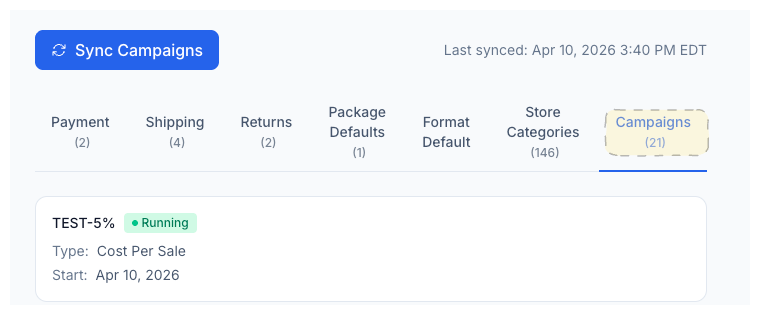
Pull your active Promoted Listings campaigns directly into CardLuma with a single click. Campaign name, ad rate, type, and status are all visible on the Campaigns tab alongside your other eBay policies.
No re-creating campaigns inside CardLuma. If it exists in your eBay Advertising dashboard, it shows up here.
Set a Campaign on Every Batch
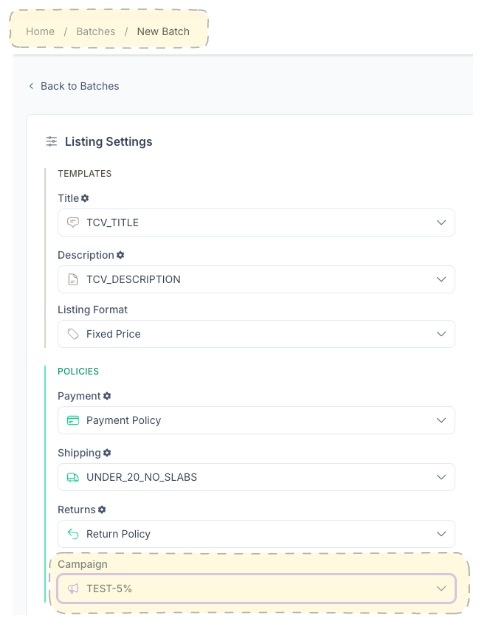
Choose a campaign when you create a new batch and it applies to every card in that batch automatically. Same place you set your payment, shipping, and return policies — one dropdown, done.
Every listing in the batch gets promoted under that campaign when it publishes to eBay. No extra steps, no going back to eBay Seller Hub to add cards one at a time.
Override Per Card
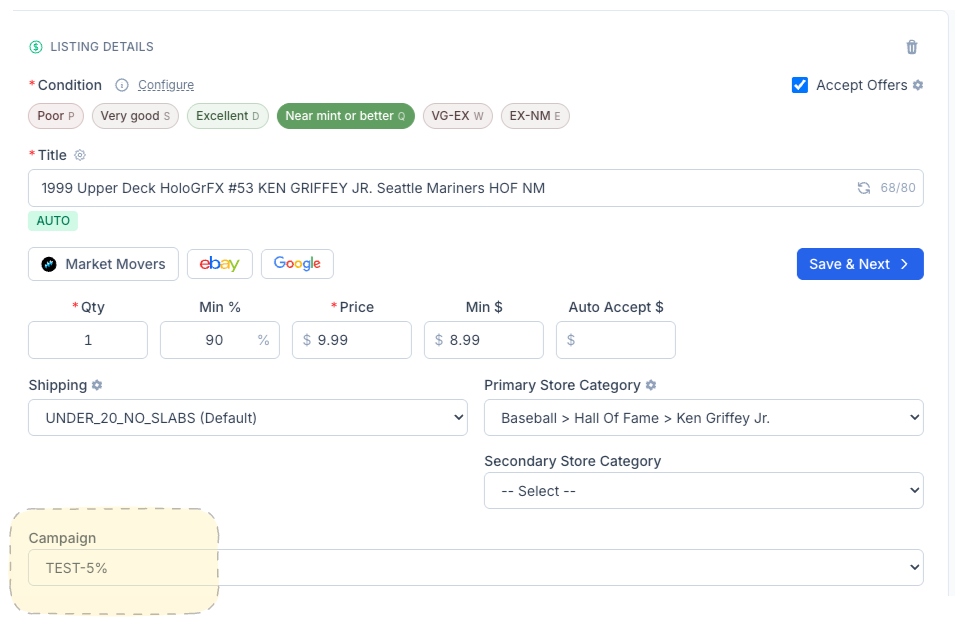
Not every card in a batch deserves the same ad spend. Override the batch-level campaign on any individual card directly from the card edit screen. Want to promote a high-value hit at a higher rate? Assign a different campaign. Want to skip promotion on a common base card? Clear it.
The batch default handles the majority. Per-card overrides handle the exceptions.
Complete listings, without the cleanup.
Turn scans into eBay-ready listings with the specifics buyers filter on, then reuse clean card data in Whatnot workflows.