
eBay Inventory Management
Your full eBay inventory inside CardLuma. Active listings, sold items, inline editing, bulk changes, CSV export, and a table you can customize column by column.
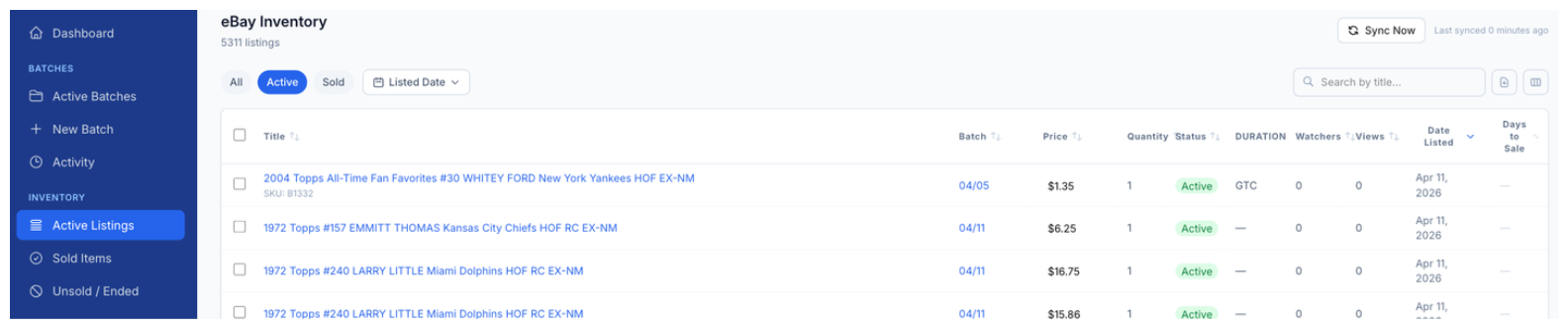
Your active eBay listings in one table. Sync from eBay, search by title, sort by any column, and see watchers, views, and days to sale at a glance.
Active and Sold Listings
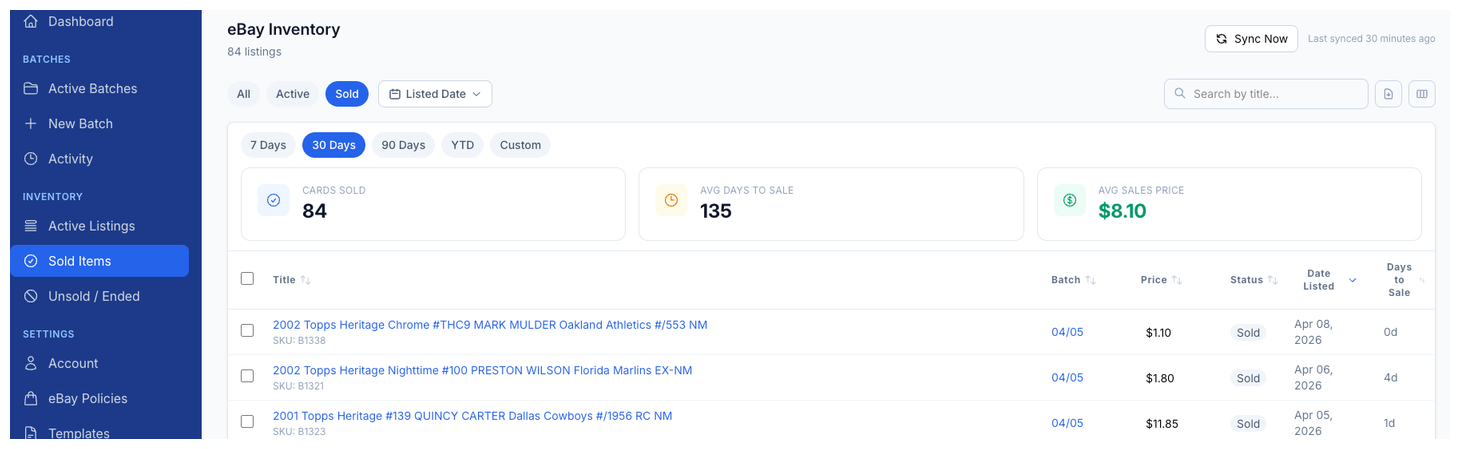
Toggle between Active and Sold tabs to see what's live on eBay and what's already moved. The Sold view shows total items sold, total revenue, and average sale price across the filtered date range.
Filter by listed date to zero in on a specific batch or time period. Every column sorts so you can find exactly what you're looking for.
Inline Editing
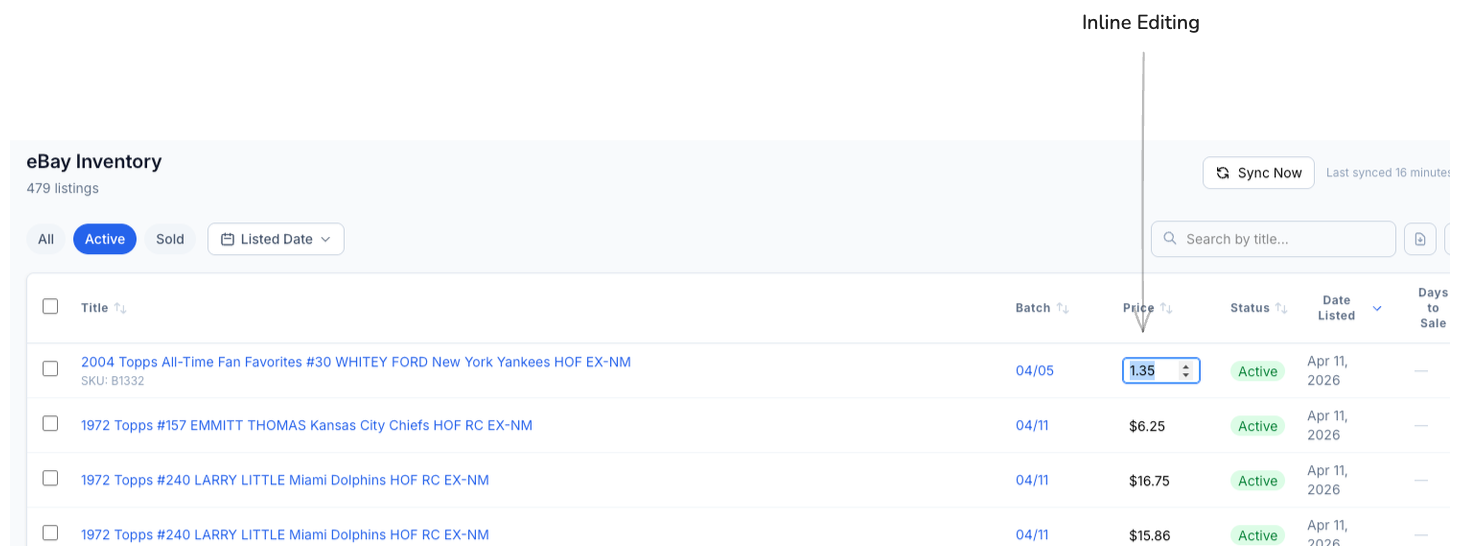
Click any editable field and change it right in the table. Update a price, adjust quantity, or tweak a field without opening a separate edit screen or leaving the inventory view.
Changes push to eBay on save. No export, no re-upload, no switching tabs.
Bulk Changes
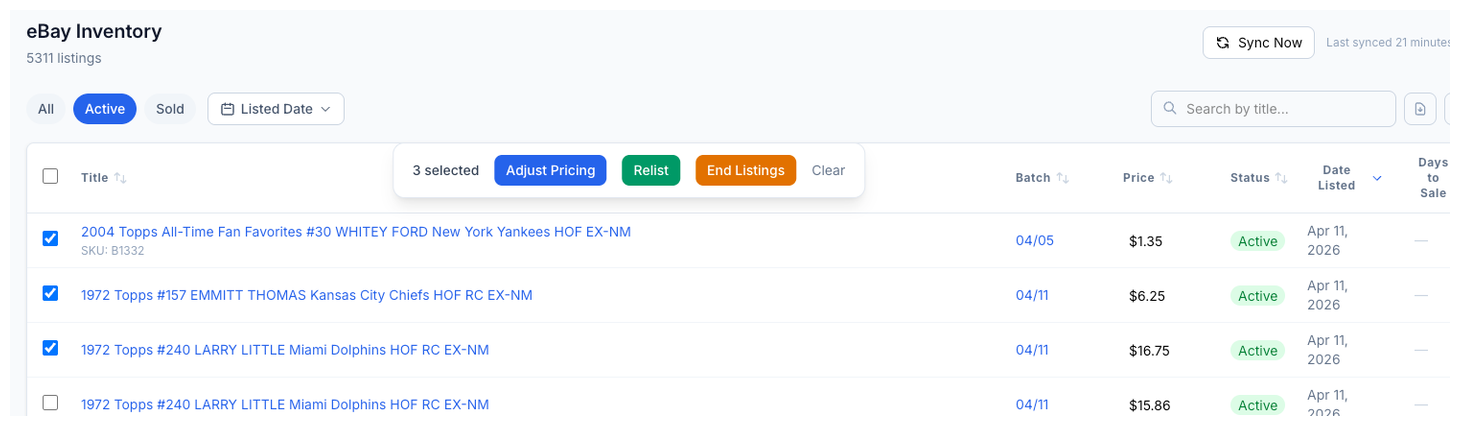
Select multiple listings with checkboxes and apply changes across all of them at once. Need to update the price on 50 cards? Mark a batch as ended? Change a field across your entire active inventory? Select, change, done.
Bulk actions save the kind of time that adds up fast when you're managing hundreds or thousands of active listings.
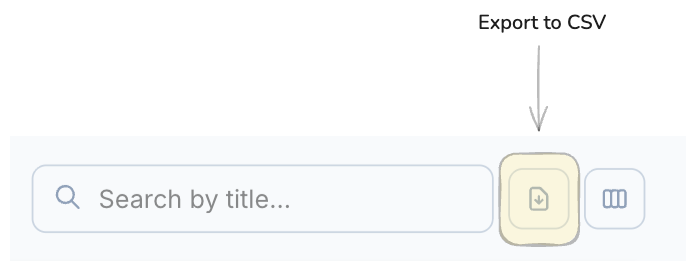
Export to CSV
Download your inventory data as a CSV file with one click. The export includes every column currently visible in your table, so you control exactly what data you get.
Use it for bookkeeping, tax prep, external analysis, or feeding data into other tools. Your data, your format, no hoops.
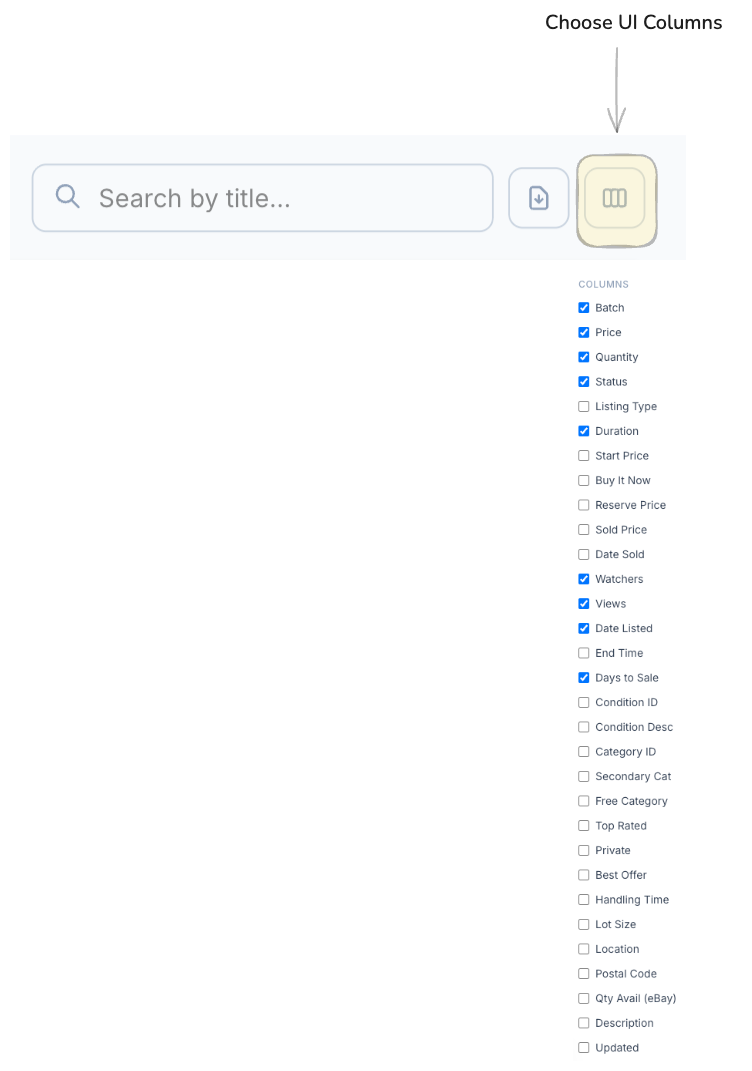
Choose Your Columns
Toggle over 30 columns on or off to build the exact table view you need. Batch, price, quantity, status, duration, watchers, views, date listed, days to sale, condition, category, best offer, handling time, lot size, location, postal code, and more.
Different workflows need different data. A pricing session looks different from a shipping audit. Customize the view for the task at hand.
Complete listings, without the cleanup.
Turn scans into eBay-ready listings with the specifics buyers filter on, then reuse clean card data in Whatnot workflows.