
Price cards with real sold comps before you list.
Real eBay sold prices, price ranges, and recent sales for any card — pulled directly into your listing workflow. Stop guessing what a card is worth and start pricing from actual market data.
Sold Data at a Glance
CardLuma pulls recent eBay sold listings for the card you’re working on and lays them out in a clean table — price, date, seller, and listing title. You see the full price range at the top so you know exactly where the market sits, from low-end lots to high-end singles.
Green rows sold above the median. Red rows sold below. You can scan the spread in seconds and land on a price that makes sense for your card’s condition and variant.
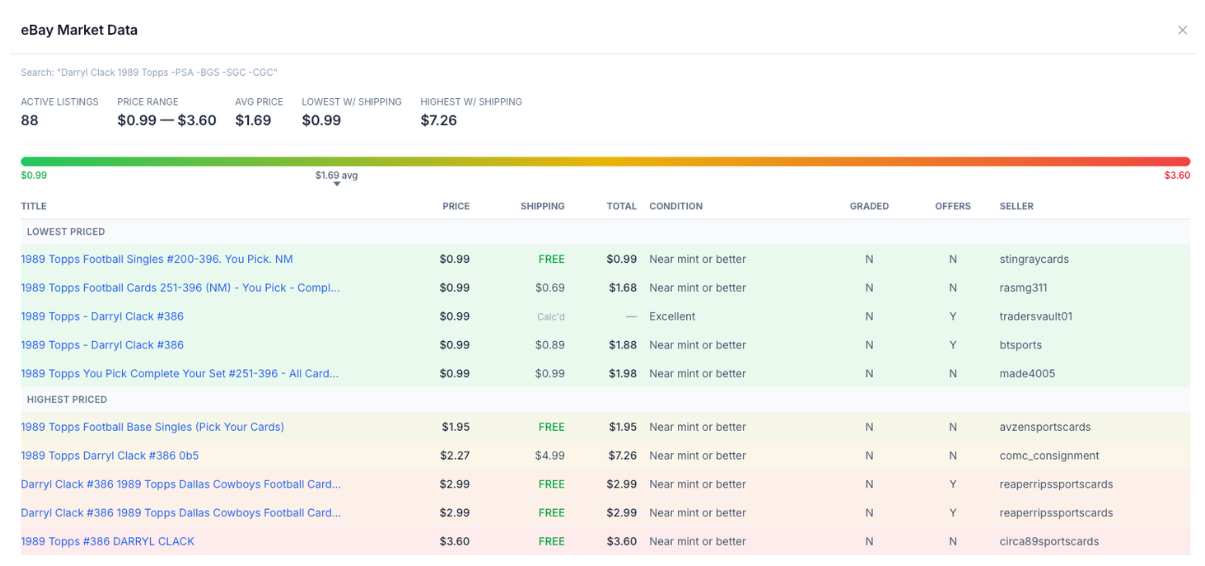
Click image to view full size
One Click from the Card Edit Screen
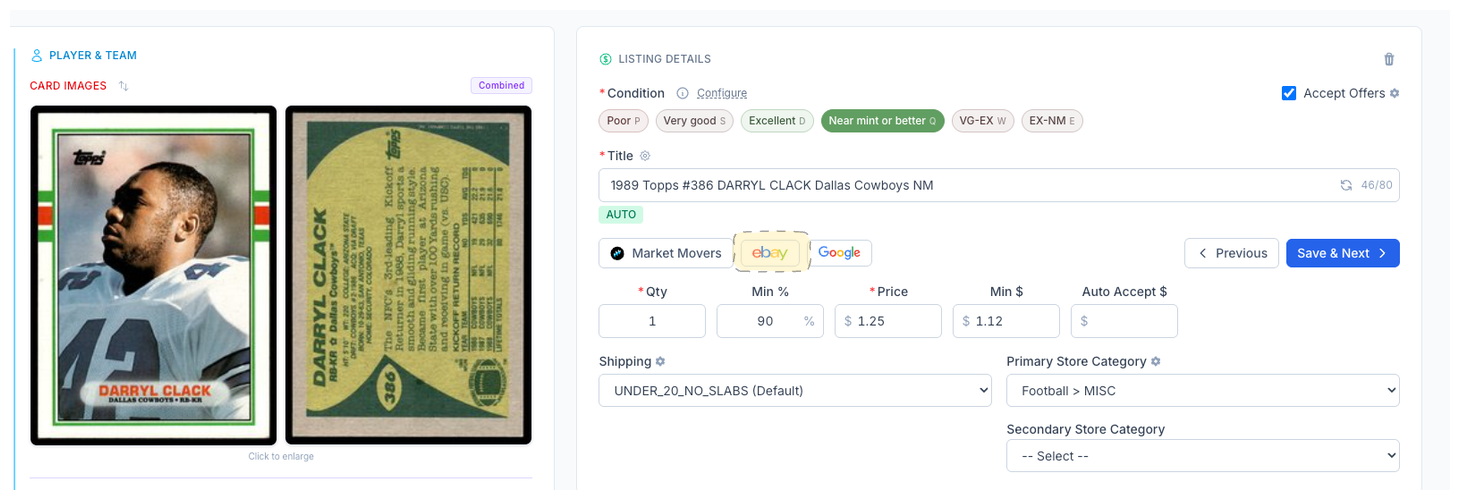
The Market Data button sits right next to the card you’re editing. Click it and the data loads inline — no new tab, no copy-pasting player names into eBay search, no losing your place in the batch.
The search is pre-filled from your card’s identification data so you get relevant results immediately. Price the card, set your listing price, and move on.
Complete listings, without the cleanup.
Turn scans into eBay-ready listings with the specifics buyers filter on, then reuse clean card data in Whatnot workflows.