
Per-Card Description Note
Your description template handles 99% of the card. But every so often one card needs a line all its own — “corners are soft on this one,” “off-center,” “signed in person.” The Per-Card Description Note adds that line to a single listing without touching your template or the rest of the batch.
The 1% That’s Specific to This Card
Most of your description is templated — and it should be. A batch description template keeps every listing consistent without retyping. But templates describe what’s true of every card. They can’t speak to the one with a soft corner, the off-center print, or the autograph you watched get signed.
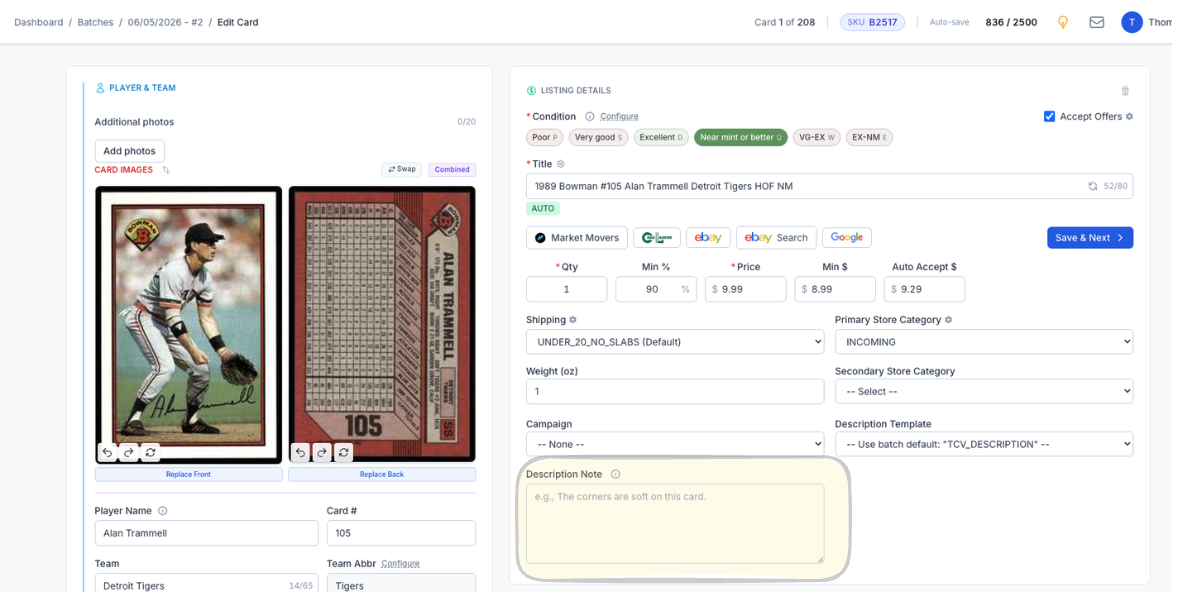
The Description Note field sits right on the card edit screen. Type a note for that card and it gets prepended to the top of its description when the listing publishes — right where buyers read first. The batch template still runs underneath it, and every other card in the batch is untouched.
Use it for condition specifics, flaws, provenance, or anything else true of exactly one card. Calling out a flaw up front isn’t a weakness — it’s the thing that keeps a buyer from opening a return because the listing didn’t mention it.
Click image to view full size
Complete listings, without the cleanup.
Turn scans into eBay-ready listings with the specifics buyers filter on, then reuse clean card data in Whatnot workflows.