
Know what every card actually made.
Gross sales aren’t profit. CardLuma pulls your real eBay numbers — fees, shipping, refunds — and tells you what each card and each period actually made you.
Your Sales Total Is a Vanity Number
eBay shows you what sold. It doesn’t show you what you kept. Final value fees, promoted listing fees, the shipping you ate, the occasional refund — all of it comes out before a dollar is yours, and most sellers never do that math card by card.
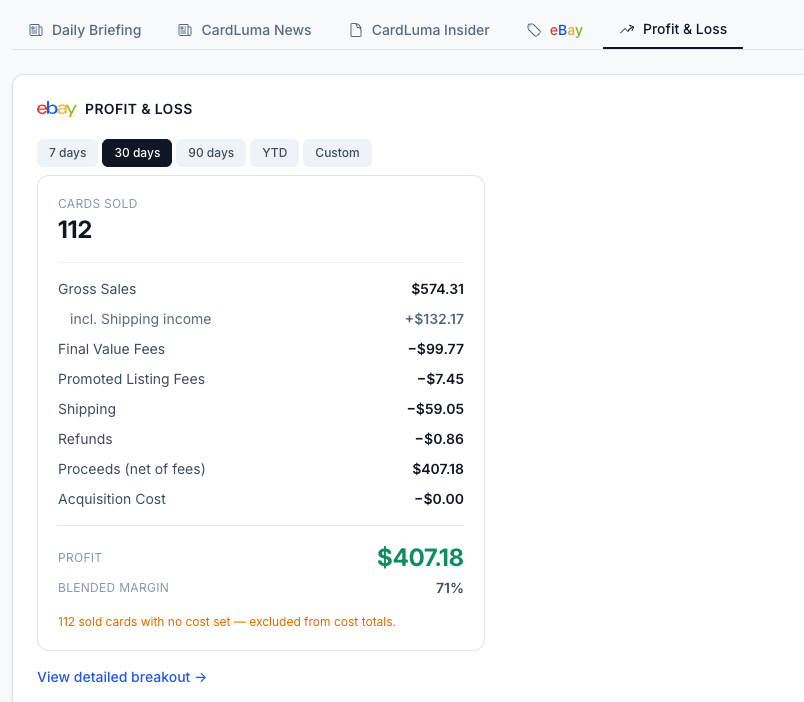
CardLuma does it for you. Pick a window — 7 days, 30 days, 90 days, year to date, or a custom range — and you get the whole picture: gross sales (including the shipping income buyers paid), every fee broken out, refunds, proceeds net of fees, acquisition cost, and the profit and blended margin at the bottom.
Click image to view full size
Drill Into Every Order — Then Export the Whole Thing
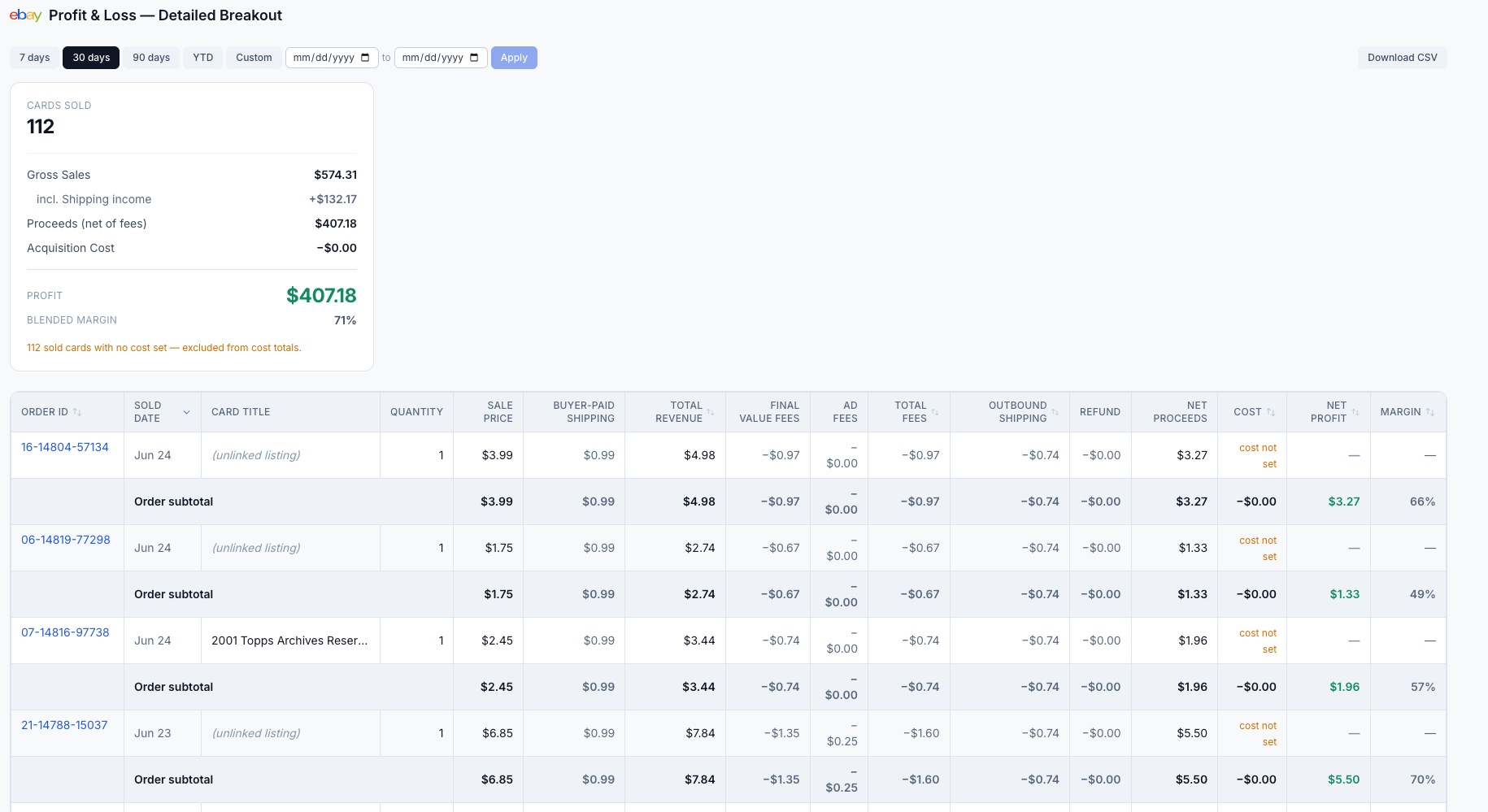
The summary tells you how the month went. The detailed breakout tells you why. Every order, line by line: sale price, buyer-paid shipping, total revenue, final value fees, ad fees, outbound shipping, refunds, net proceeds, cost, net profit, and margin per card. Sort it, filter it by date, and find the sales that actually carried the period — and the ones that didn’t.
Need it in your own books? Hit Download CSV and the full P&L — every order, every fee, every margin — drops into a spreadsheet your accountant can actually use. No re-keying eBay reports, no stitching together payout exports at tax time.
Click image to view full size
Set Your Cost, Get Real Margin
Profit only means something when CardLuma knows what the card cost you. Set the acquisition cost on a card — in the card editor or in bulk — and it flows straight into the P&L as true net profit and margin.
Haven’t set a cost yet? CardLuma is honest about it. Cards sold with no cost set are flagged and excluded from cost totals, so your margin never quietly inflates on cards you got for free in your own math. Fill the costs in, and the numbers tighten up to reality.
Complete listings, without the cleanup.
Turn scans into eBay-ready listings with the specifics buyers filter on, then reuse clean card data in Whatnot workflows.