Identify & price before you go live
Run cards through CardLuma's identification and pull real eBay sold comps so every card has an accurate name and a defensible price before showtime.

Live selling moves fast — and it only works if your inventory is already clean before the show starts. CardLuma identifies, prices, and organizes your cards, then exports them as a CSV you import into Whatnot. Scan the work once, sell it live.
On a live show you don't have time to look up a card, second-guess a parallel, or figure out what something is worth. CardLuma does that work up front so you walk into the stream knowing exactly what you're holding and what it should sell for.
Run cards through CardLuma's identification and pull real eBay sold comps so every card has an accurate name and a defensible price before showtime.
Batches, tags, SKUs, and custom batch names keep your inventory sorted, so matching claims to cards and shipping after the show isn't a scramble.
The same verified card data you build for eBay feeds your Whatnot prep — you don't start a separate inventory from scratch for live selling.
Whatnot support is CSV-based — there is no direct API integration or automated Whatnot listing sync. The path is simple and explicit:
Identify cards, fill in details, and check pricing in your normal CardLuma workflow.
Export the organized card data as a CSV file from CardLuma.
Upload that CSV into Whatnot to populate your inventory for live shows, claims, and fulfillment.
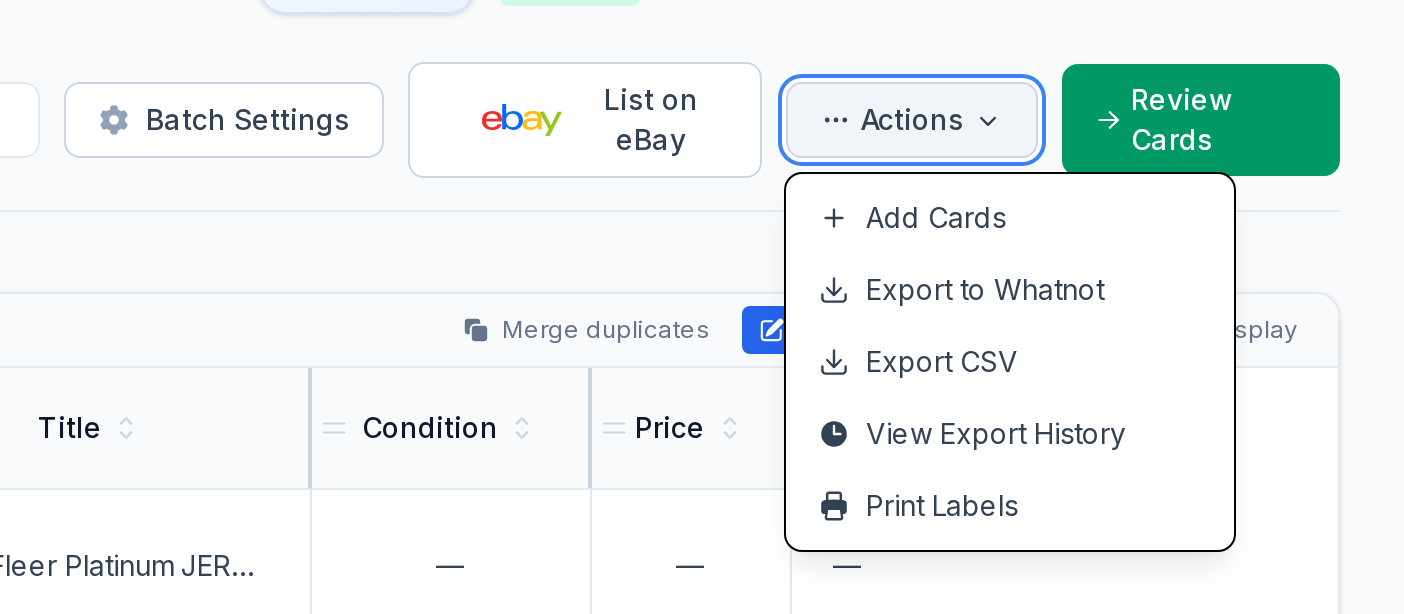
No. CardLuma helps prepare clean, organized card data for Whatnot. You export your inventory as a CSV from CardLuma and import it into Whatnot — it's not a direct API integration or automated sync.
It handles the prep: identification, pricing from real sold comps, and organization (batches, tags, SKUs) so your inventory is accurate and sorted before you go live, and easy to fulfill after.
Yes. CardLuma is one card-data workflow — scan once, then publish to eBay and export Whatnot-ready inventory as CSV.
Turn scans into eBay-ready listings with the specifics buyers filter on, then reuse clean card data in Whatnot workflows.