
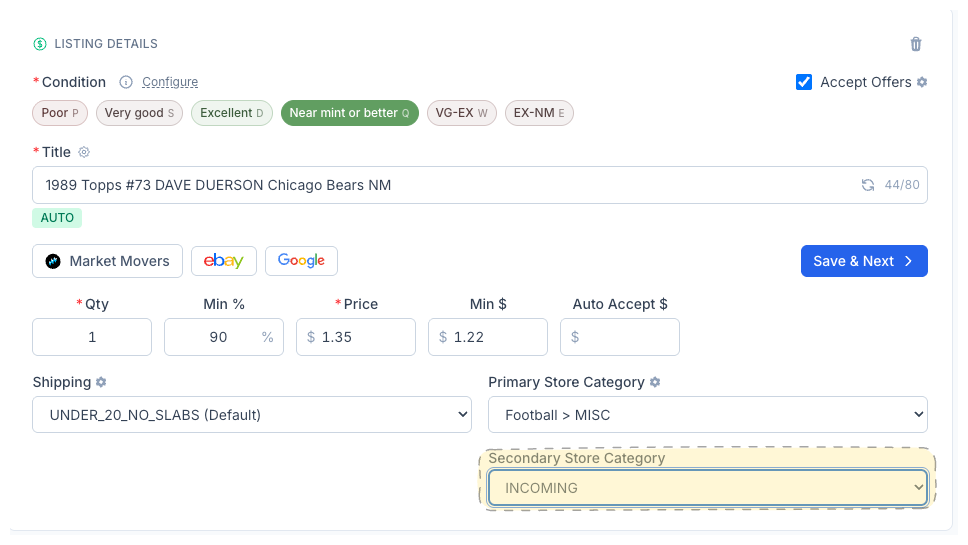
Secondary Store Category
Every eBay listing can live in two store categories. CardLuma now lets you assign both — so a Dave Duerson card shows up under “Football > MISC” and “INCOMING” at the same time. More browse paths, more visibility, same workflow.
Two Categories, One Dropdown
The Secondary Store Category dropdown sits right below the Primary on the card edit screen. Pick it manually, or let your Store Category Automation rules handle it. Either way, both categories publish to eBay when the listing goes live.
Buyers browse eBay stores by category. A card filed under only one category is invisible to anyone browsing the other. Secondary categories fix that — your card appears in both paths without duplicating the listing.
Click image to view full size
Complete listings, without the cleanup.
Turn scans into eBay-ready listings with the specifics buyers filter on, then reuse clean card data in Whatnot workflows.