
Apply the right shipping policy automatically.
Different cards need different shipping. A $5 raw card goes in a PWE. A $50 graded slab doesn’t. You already know this — the problem is remembering to switch the policy on every single listing. You won’t. Not consistently. Not at volume.
Rules That Match Your Logic
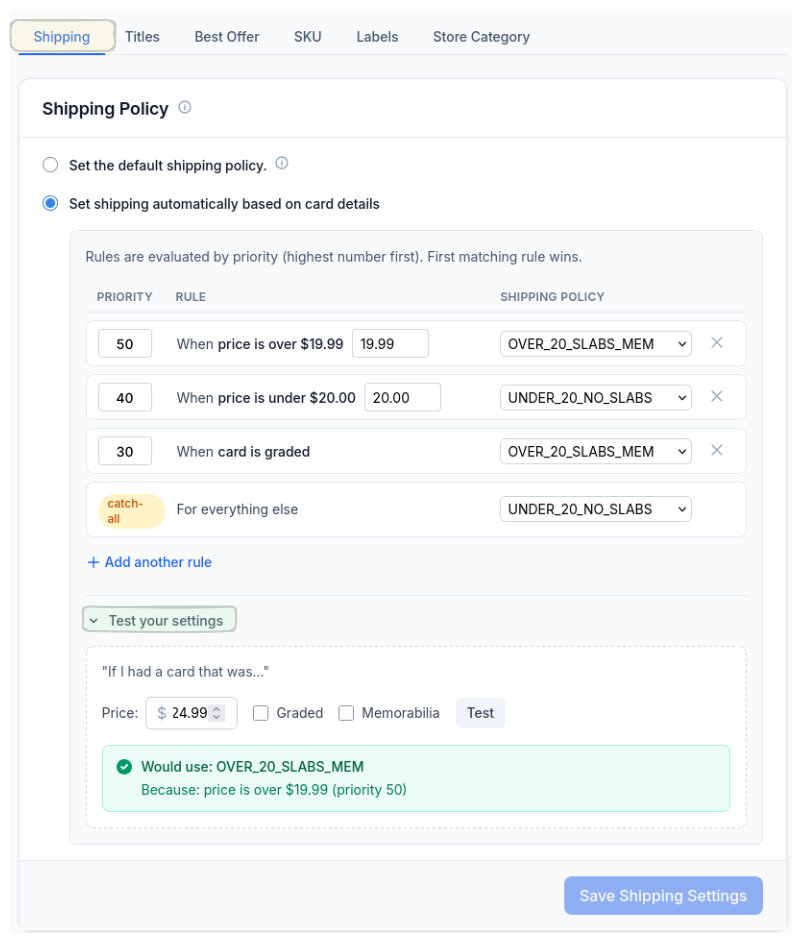
Set your rules — price over $20 gets one policy, under $20 gets another, graded cards always get the slab shipping profile. Priority-based, first match wins. There’s even a catch-all for anything that doesn’t hit a rule so nothing falls through the cracks.
You can test your logic right there in the settings before it touches a single card. Type in a price, check the graded box, and see exactly which policy would apply. No guessing.
Your eBay Policies, Already Synced
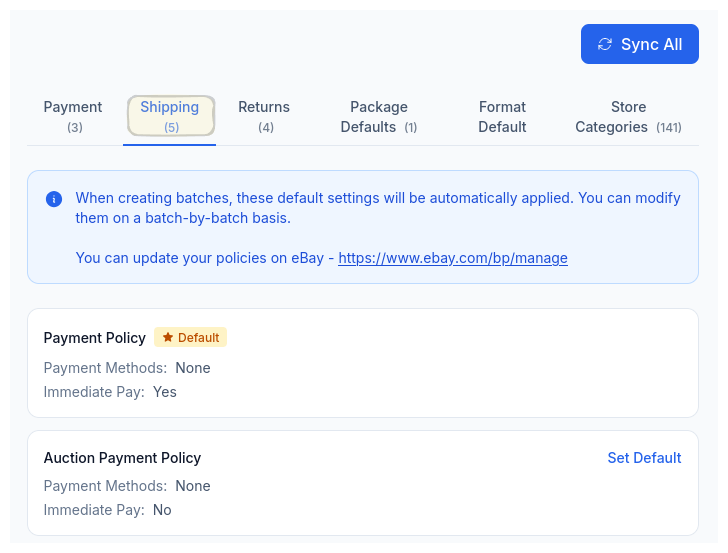
CardLuma pulls your shipping policies directly from eBay with one-click sync. Every profile you’ve set up over there is available here — no re-entering handling times, carrier options, or calculated shipping settings.
Pick your defaults, then let the automation rules assign the right one to each card based on your criteria.
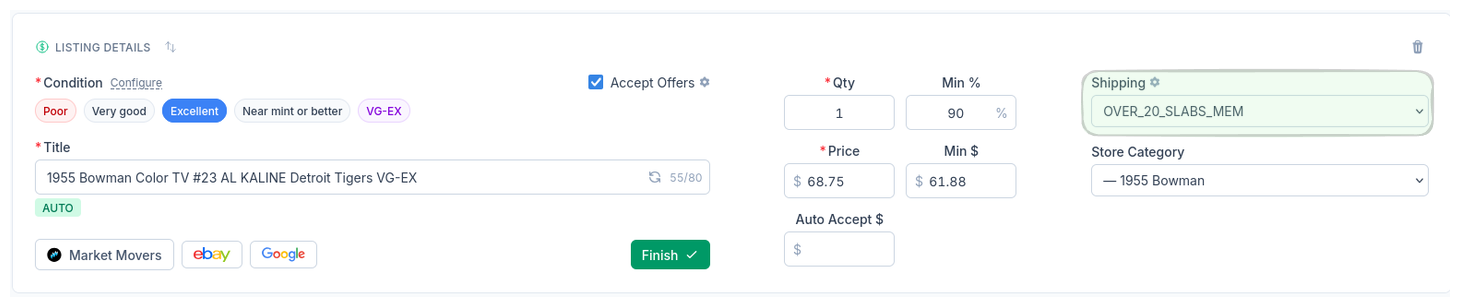
The right shipping policy gets assigned automatically on every card. No more accidentally shipping a $75 card with a PWE policy because you were flying through a batch and forgot to change the dropdown.
Complete listings, without the cleanup.
Turn scans into eBay-ready listings with the specifics buyers filter on, then reuse clean card data in Whatnot workflows.