
Move Cards Between Batches
Cards end up in the wrong batch. A box turns out to be three sports, the high-value cards need their own schedule, or you kept scanning past where you meant to stop. Select the cards, move them, keep going.
Select the Cards, Hit Move to Batch
Move to batch sits right in the batch toolbar next to Add photos and Swap front/back. Check the cards you want, or use the sport filters to grab all 40 football cards out of a 46-card box in one click, and move them.
No re-scanning. No deleting the batch and starting over. No exporting to a spreadsheet to keep track of what went where.
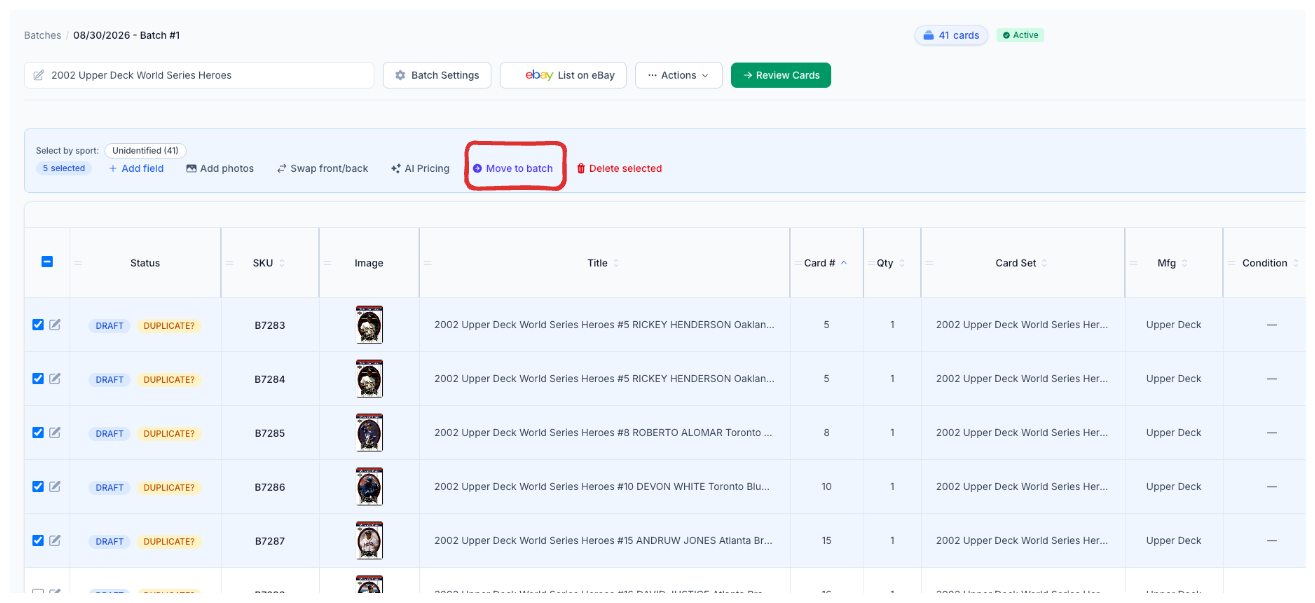
Click image to view full size
New Batch or Existing Batch
Send the cards to a brand-new batch and name it on the spot, or drop them into a batch you already have. The new batch keeps this batch’s location and listing format, so you aren’t rebuilding settings you already got right — you set the schedule on the new batch when you’re ready to publish.
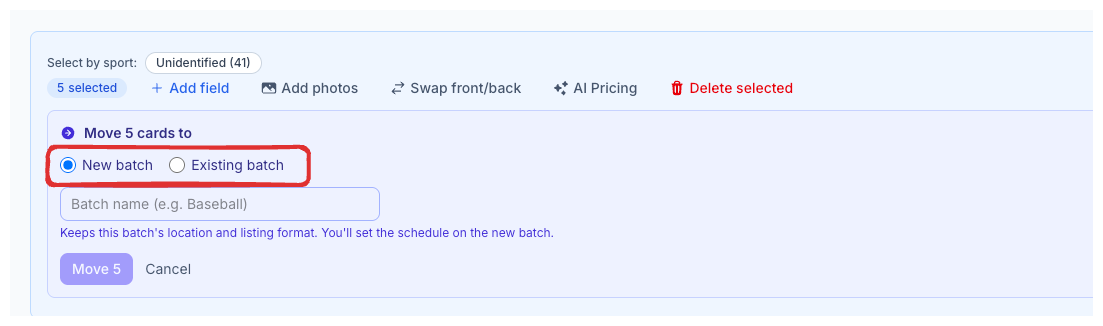
Click image to view full size
What Dealers Use It For
- Splitting a mixed box. Scan the whole box, then pull the football out of the baseball. Two clean batches, one scanning session.
- Separating the high-value cards. The $200 cards need different pricing attention and a different publishing schedule than the commons. Move them into their own batch and treat them accordingly.
- Fixing a batch that got away from you. Kept scanning past where you meant to stop? Move the overflow into a new batch instead of living with a 400-card batch you can’t manage.
- Consolidating leftovers. Three batches with a handful of cards each become one batch you can actually finish and publish.
Your Batches Should Match How You Sell
A batch isn’t a container you got stuck with when you started scanning. It’s how you organize a listing day — what gets priced together, what publishes together, what ships together. If the batch structure is wrong, every step after it is a little bit harder.
This was the most-requested feature on the feature request board. It shipped in 2.4.0. Pair it with custom batch names and the batch table and your batches look like your operation, not like the order you happened to pull cards out of a box.
Complete listings, without the cleanup.
Turn scans into eBay-ready listings with the specifics buyers filter on, then reuse clean card data in Whatnot workflows.