
Two of the same card, one listing at quantity 2.
Break a box and you will pull the same common four times. Listing four separate copies of a $1.50 card is four listings to manage, four sets of photos, and four chances for a buyer to see your inventory look thin. Merge them into one card with the quantity rolled up.
The Batch Already Flags Them
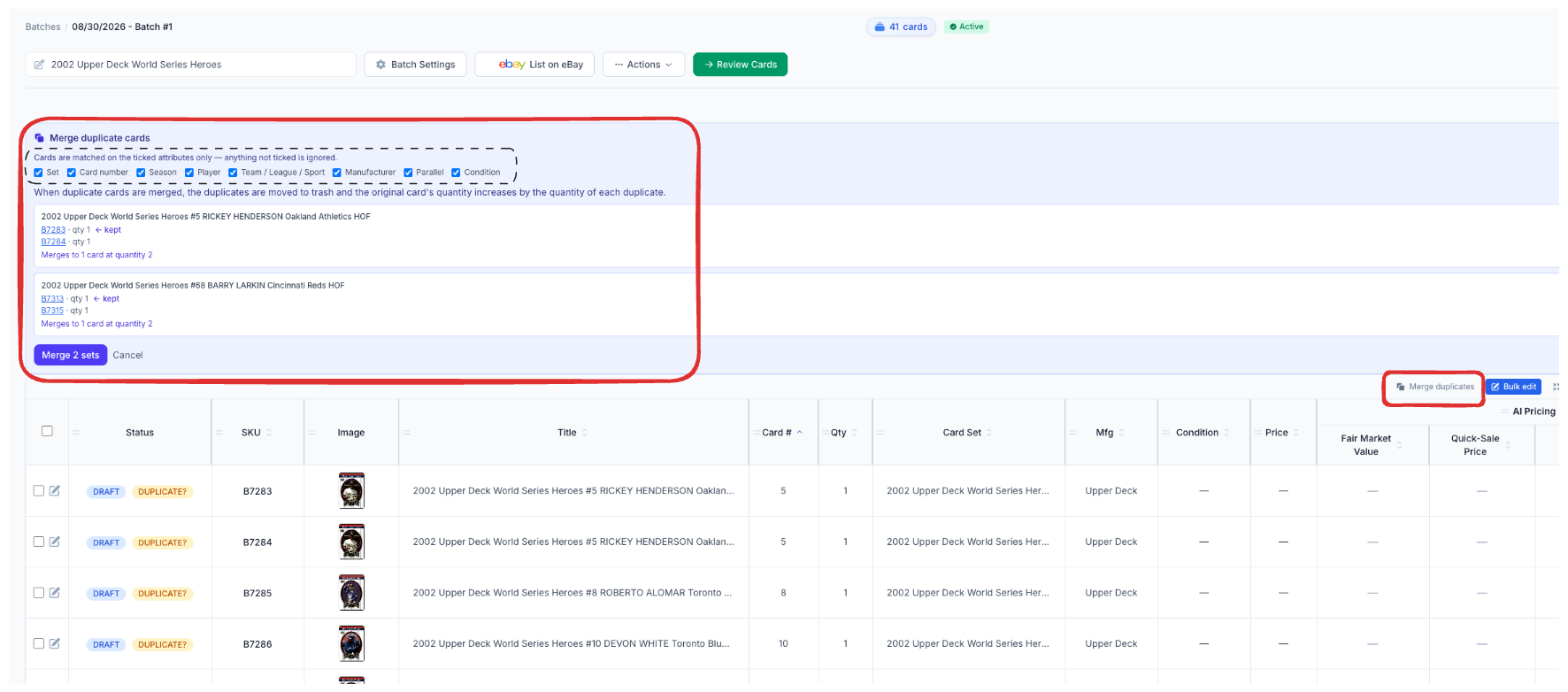
CardLuma tags likely repeats with a DUPLICATE? badge as the batch identifies. Hit Merge duplicates in the batch toolbar and the panel groups every set it found — the card title, each SKU, each quantity, which one gets kept, and what the merged card ends up at.
You read the preview before anything happens. Two SKUs at qty 1 merging to one card at quantity 2 is exactly what it says on the panel. Merge the sets, or cancel and change the matching rules.
Click image to view full size
You Decide What Counts as the Same Card
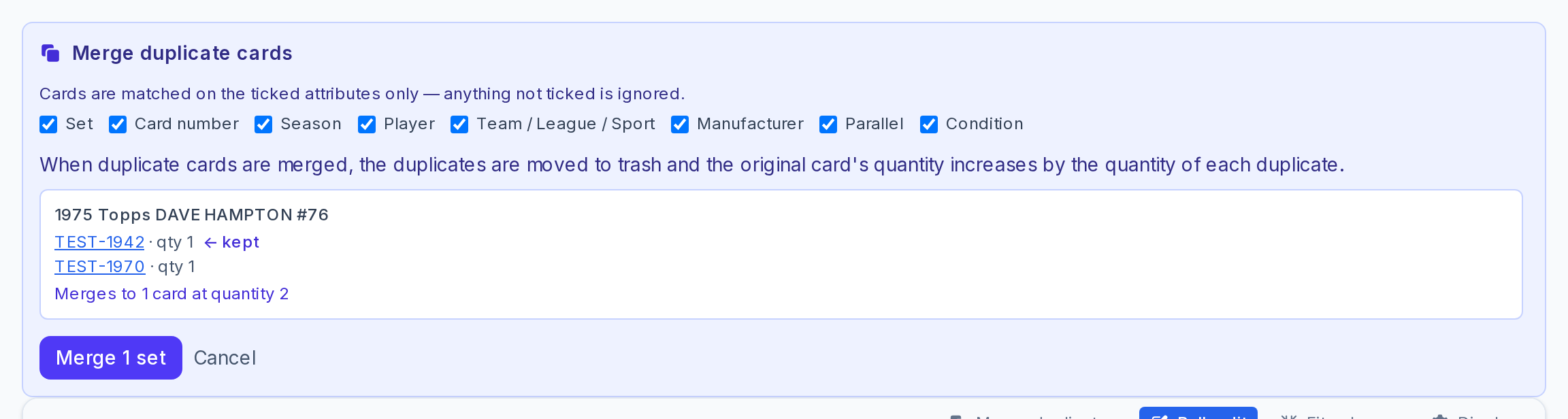
Set, card number, season, player, team / league / sport, manufacturer, parallel, condition — tick the attributes that have to match. Anything you leave unticked is ignored.
That control matters more than it sounds. Leave Condition ticked and a Near Mint copy never merges into an Excellent one, because they are not the same product and should not sell at the same price. Untick Parallel on a set where the identification is still catching up and you can consolidate cards that are genuinely identical. It is your call, per merge, instead of one rule the software picked for you.
Click image to view full size
Merged, Not Destroyed
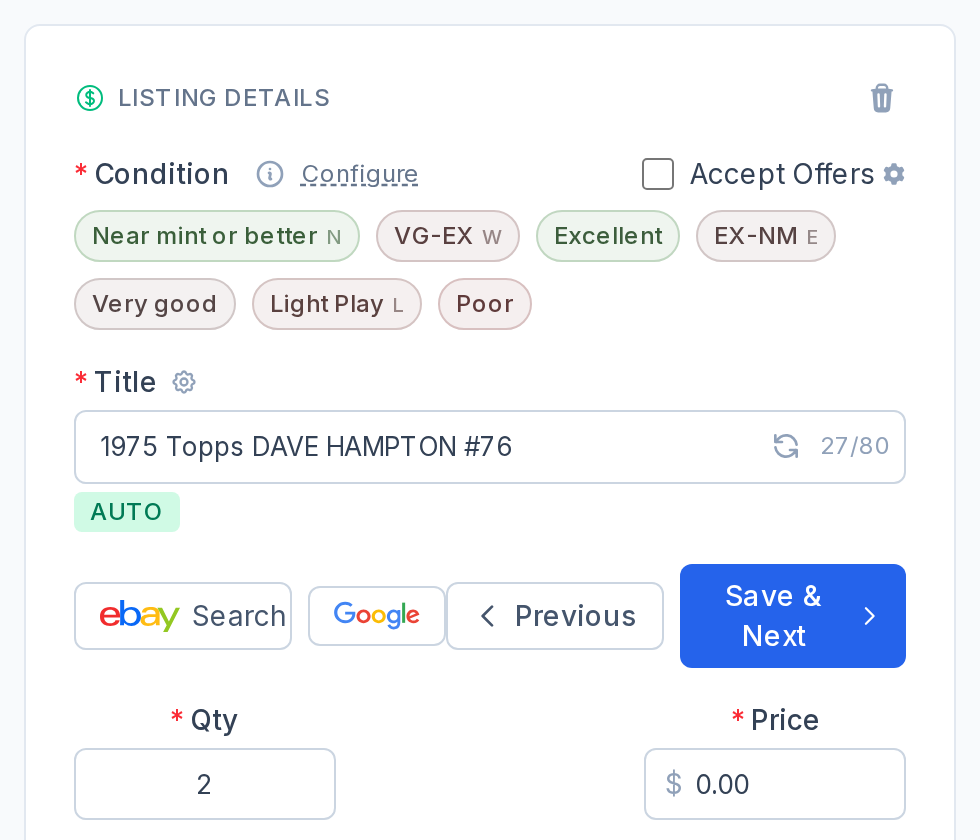
The card you keep gains the quantity of every duplicate folded into it. The duplicates move to Trash — they are not gone, and you can pull one back if a merge was not what you wanted. Photos, SKU, and every field on the kept card stay exactly as you left them.
One listing at quantity 4 also lists better than four listings at quantity 1. It concentrates the sales history and the watchers on one page instead of splitting them four ways.
Click image to view full size
Trashed and Archived Batches Stay Out of It
Duplicate detection can now skip trashed and archived batches. A card you deleted eighteen months ago should not be flagging today’s scan as a repeat, and a batch you archived after it sold out should not either. Turn them off and the DUPLICATE? badge starts meaning something again.
What Dealers Use It For
- Breaking a box of commons. The same base card three times over is one listing at quantity 3, not three listings you have to manage separately.
- Cleaning up a double scan. Fed a stack through twice by accident? Merge instead of hunting down which SKUs to delete.
- Consolidating repeat inventory. The same player, set, and number pulled across several breaks becomes one line in your inventory with a real quantity behind it.
- Keeping condition honest. Ticking Condition means the NM copy and the beat-up one stay separate, priced separately, described separately.
Duplicates Are a Quantity Problem, Not a Listing Problem
Every extra listing is overhead — a photo set, a price to maintain, a row in your inventory, a thing to relist. Two copies of the same card were never two listings. They were one listing with a 2 in the quantity field, and now that is a single action on the batch screen.
Pair it with moving cards between batches and the batch table and a messy scanning session cleans up before it ever reaches eBay.
Complete listings, without the cleanup.
Turn scans into eBay-ready listings with the specifics buyers filter on, then reuse clean card data in Whatnot workflows.