
List parallels and variations as one clean listing.
A 200-card set is not 200 listings. Posting every single separately means 200 things to manage, 200 fee lines, and a buyer who has to hunt across 200 pages to grab the three cards they want. List the whole batch as one eBay listing instead — buyers pick the card by number from a dropdown.
One Listing, the Whole Batch
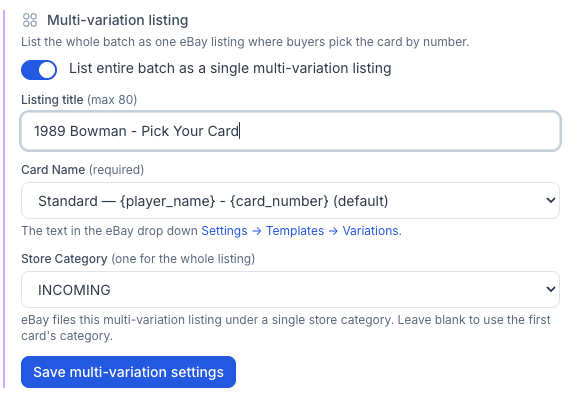
Flip one toggle — List entire batch as a single multi-variation listing — and CardLuma rolls the entire batch into one eBay listing with up to 250 variations. A parent listing holds the title, description, and policies; each card becomes a variation the buyer selects.
Set the listing title once (“1989 Bowman — Pick Your Card”), and choose how each variation reads in the eBay dropdown. The Card Name template builds the option label from your card data — {player_name} - {card_number} — so every entry in the dropdown is clean and consistent without retyping a thing.
Pick one store category for the whole listing, or leave it blank to inherit the first card’s category. When you’re done, publish straight to eBay — one listing, not two hundred.
Send Only the Front Scan
A multi-variation listing with 200 cards in it can carry 600 images if every card ships its front, its back, and the combined shot. That is a slow-loading listing and a gallery buyers have to wade through to find the card they came for.
Flip Front image only and CardLuma sends just each card’s front scan to eBay for this listing. Backs, combined images, and extra photos are left off — on this listing only. Your card records keep every photo you took; nothing is deleted and your single-card listings are unaffected.

Click image to view full size
A Gallery Image Built From the Whole Batch
The first card’s photo is a weak thumbnail for a listing that holds two hundred. It tells a buyer nothing about what is inside.
Hit Create collage and CardLuma builds the gallery image out of the front scans in the batch — up to 25 of them, tiled into one grid that reads as a set at thumbnail size. It pulls from every card in the batch now, not only the ones already cleared to list, so you can build the gallery image before the batch is finished. Regenerate it after you add cards, replace it with your own file, or remove it and fall back to the first card’s photos.

Click image to view full size
What the Buyer Sees
One listing, one price, one Card# dropdown — and a lead image that shows twenty cards at once. A buyer scrolling search results sees a set, not a single common, and lands on a page where picking three cards is three clicks instead of three checkouts.

Click image to view full size
Dropdown Labels You Can Read
The Dropdown label template decides how each card reads in eBay’s variation picker. Build it from card number, card name, player name, or SKU, and the label options are listed alphabetically now, so finding the format you want does not mean reading the whole list twice. On CCG and non-sport batches, SKU is available as a label too — useful when the card name alone is not enough to tell two variations apart.
Manage the Set After It’s Live
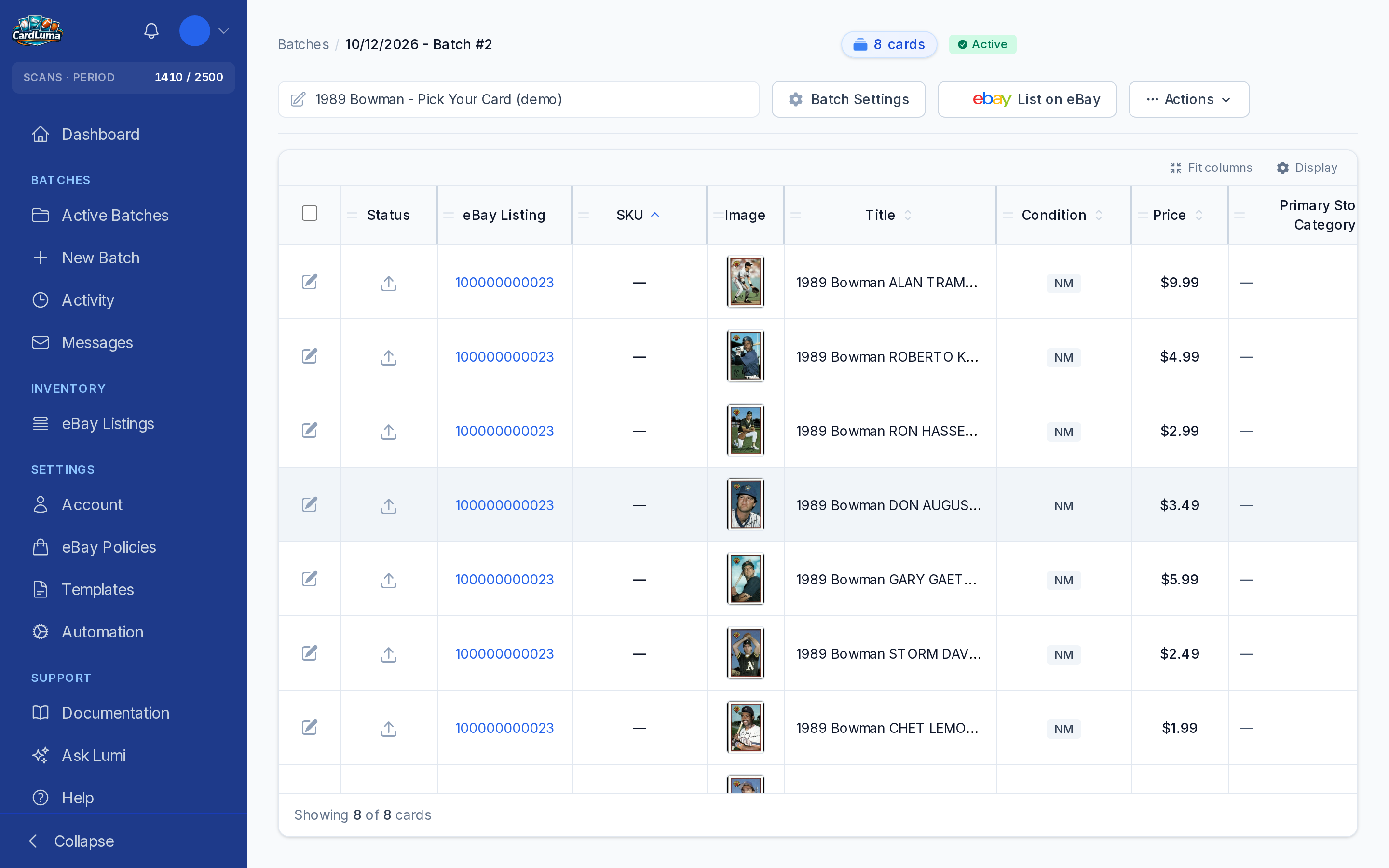
A 200-card listing that you can only edit on eBay is not much of a feature. Expand the listing on the Inventory page and edit each card inside it — price, quantity, and its photos — in line, without rebuilding the listing.
Set a single card’s quantity to 0 when it sells out and the rest of the set stays live. One card going dark does not cost you the listing.
Click image to view full size
Add Cards to a Listing That’s Already Live
Your base-set listing has been live for three weeks. Then the box with the twenty cards you were missing shows up.
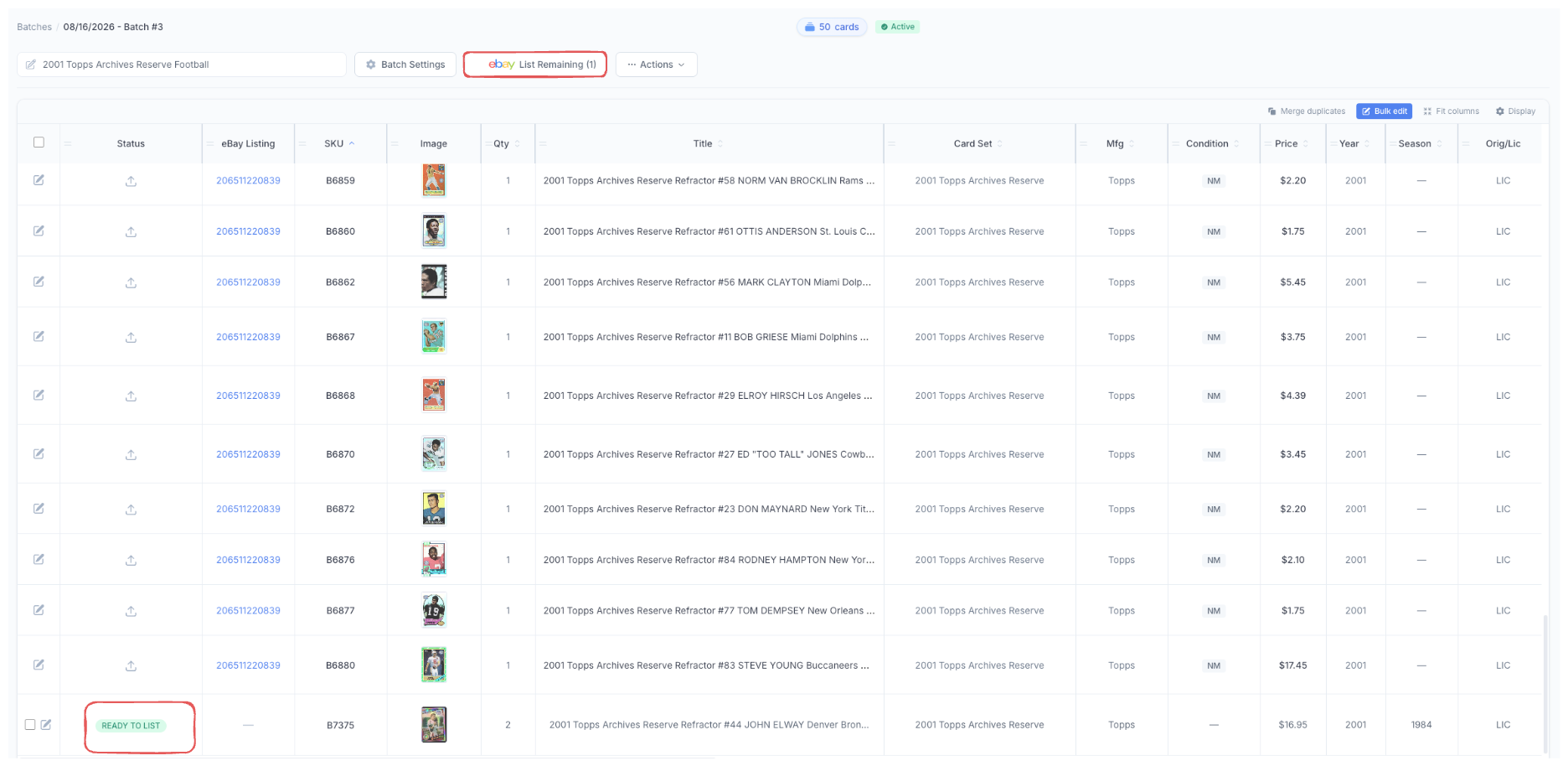
Add them to the listing you already have instead of ending it and starting over. Scan the new cards into the same batch, and when they’re marked Ready to List, List Remaining pushes them to eBay as new variations. The listing stays live under the same listing, and the buyers who already found it keep finding it.
Click image to view full size
Complete listings, without the cleanup.
Turn scans into eBay-ready listings with the specifics buyers filter on, then reuse clean card data in Whatnot workflows.